Ghost CS2 の Counter-Strike 2
Ghost CS2 — Aimbot・ESP・レーダー搭載のCounter-Strike 2向けソフトウェア
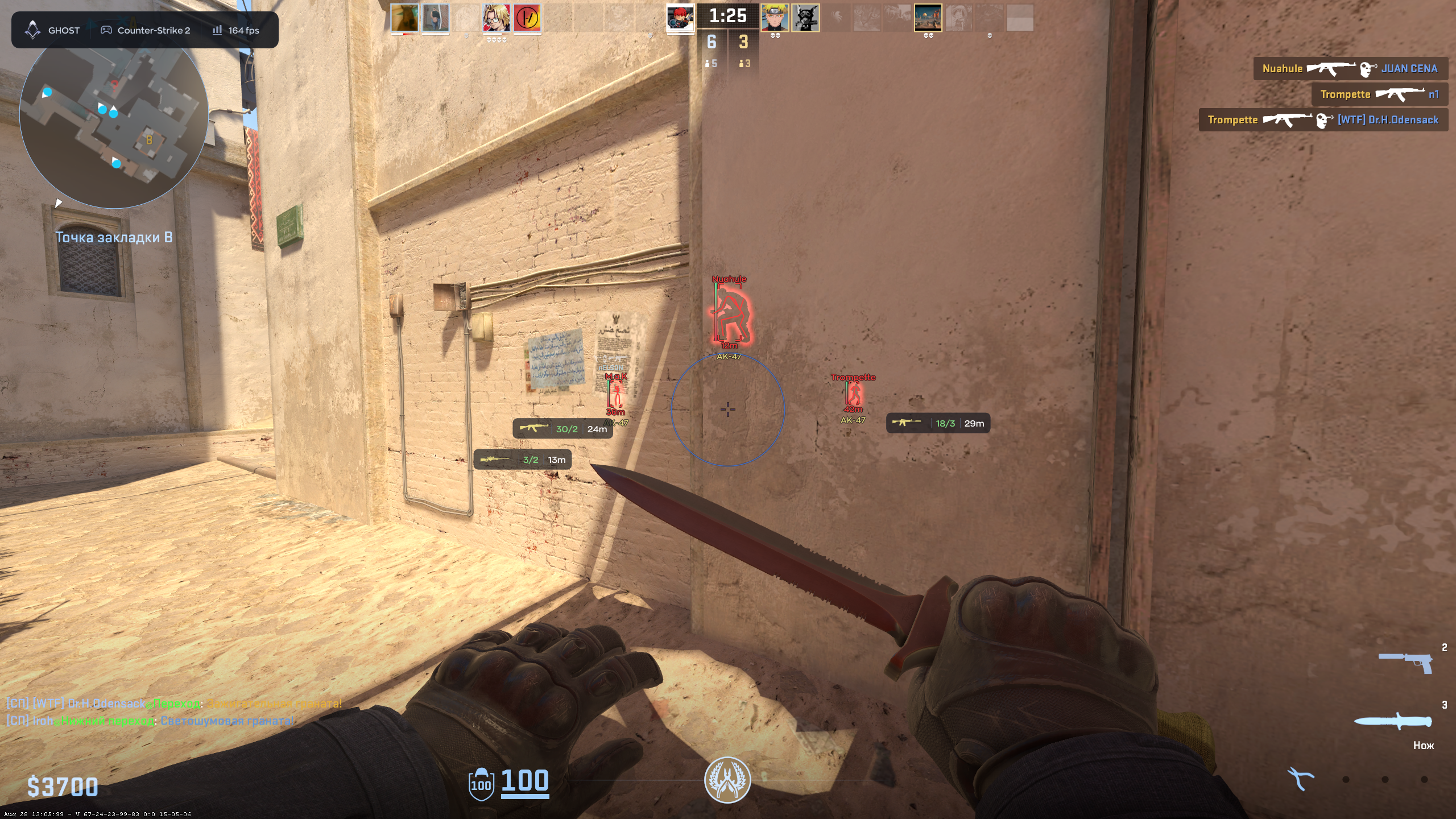
Ghost CS2は、Steam版Counter-Strike 2向けの外部ソフトウェアです。Humanizeと反動制御を備えた調整可能なAimbot、プレイヤー/アイテムESP、レーダー、グレネード予測、爆弾タイマー、キャプチャーから隠すオーバーレイを搭載しています。1日、7日、30日のキーを選べます。
システム要件
🔔 チートの状態は開発者の通知に基づき当社のTelegramボットから自動更新されます — そちらで最新情報をフォローしてください。多くのチートはゲームの変更後に自動更新されるため、「確認中」の状態はチートが動作しないという意味ではなく、確認までの不確実性にすぎません。不安ですか?サイトのチャットで質問するかお問い合わせをご確認ください。
グローバルキー — 世界中で使用可能。
一部の商品ではBinanceカードで支払える場合があります。購入前に個別メッセージで利用可否と詳細を確認してください。
機能
AIMBOT — エイム
- Enable / Keybind — turns the aimbot on or off and assigns a hotkey
- Per Weapon — stores separate aiming settings for each weapon
- Field of View / Smooth — adjusts the target area and aiming smoothness
- Prediction / Target Priority — predicts movement and selects target priority
- Hitbox / Bone Mode — selects the target area and model bone
- Visible Check / Smoke Check — filters targets by visibility and smoke
- RCS — compensates for weapon recoil
- Body Aim Low HP — switches aim to the body for low-health targets
- Humanize — includes Jitter, Deadzone, Reaction Min/Max and Max Speed
- 3D Preview — previews aiming settings on a 3D model
ITEMS — アイテム
- Dropped Weapons — displays weapons on the ground
- Max Distance / Font Size / Background — controls item display appearance
- Ammo — displays remaining ammunition
- Weapon Filters — selects which weapon names are shown
SETTINGS — 設定
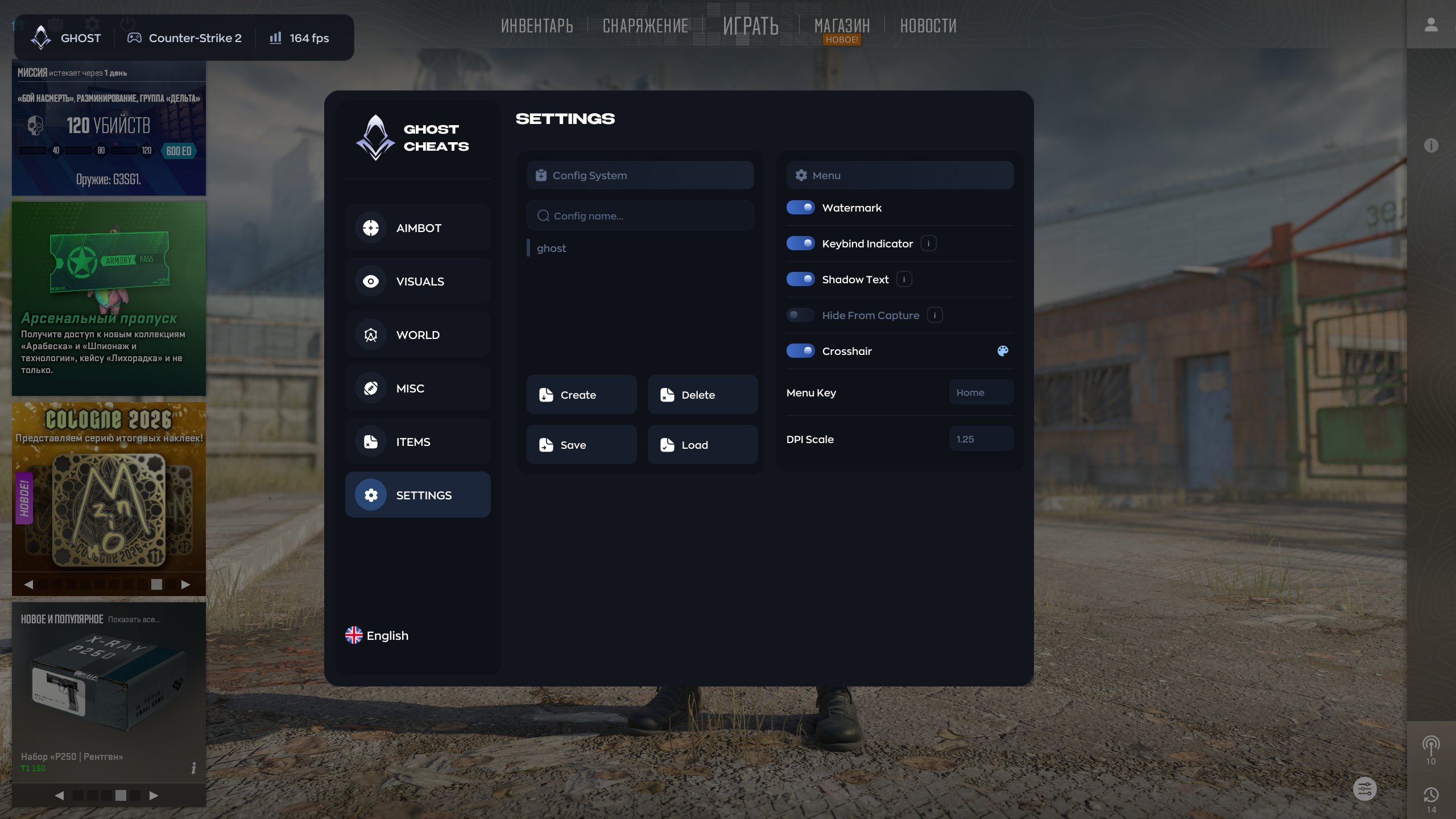
- Config System — creates, deletes, saves and loads profiles
- Watermark / Keybind Indicator / Text Shadow — interface options
- Hide From Capture — hides the overlay from OBS and screen capture
- Crosshair — enables a custom crosshair
- Menu Key / DPI Scale / Language — menu and interface controls
VISUAL — プレイヤーESP
- Visible Only / Teammates — controls which players are displayed
- Box / Name / Skeleton / Glow — core player ESP elements
- Distance / Snapline / Offscreen Arrows — target position indicators
- Health / Weapon — displays health and equipped weapon
- Armor & Helmet / Money / Rank — additional player information
- Scoped / Flashed / Defuse Kit — displays current player states and equipment
- Has Bomb / Defusing / Reloading — displays objective and action states
- 3D Preview — previews ESP settings on a 3D model
WORLD — ワールドとレーダー
- Radar — configurable on-screen radar
- Bomb Timer — displays the remaining bomb time
- Grenade Prediction — shows grenade trajectory and landing point
- Spectator List — displays players who are spectating you
MISC — 追加機能
- Anti Flash — reduces or disables the flash effect
- No Scope Overlay — removes the scope overlay
- Radar Hack — reveals information on the in-game radar
- FOV Changer — changes the camera field of view
このチートの新機能
最近のソフトウェア更新履歴 — 新しい順。
-
New product: Ghost CS2 for Counter-Strike 2
Added the Ghost CS2 external private cheat: configurable Aimbot with Humanize and RCS, advanced ESP, radar, grenade prediction, bomb timer, item ESP and a capture-hidden overlay.
メニューのスクリーンショット
カスタマーレビュー
すべてのレビューよくある質問
Ghost CS2の使用は安全ですか?
Ghost CS2のインストールと起動方法は?
Counter-Strike 2のアップデート後もGhost CS2は動作しますか?
Ghost CS2にはどんな機能が含まれていますか?
どの支払い方法が利用できますか?
サポートにはどう連絡しますか?
お支払い後、ソフトウェアのアクティベーション、起動、使用方法の詳細な説明をお届けします。
説明はお支払い前に指定されたメールアドレスに送信されます。
ダウンロードリンクと必要なコンポーネントもそちらでご確認いただけます。
チートコミュニティ
チートのアップデート、検出ステータス、他プレイヤーからのサポート — TelegramとDiscordで。