Umbrella Dota 2
ゲーム Dota 2 用に動作するプライベート チート アンブレラを購入する
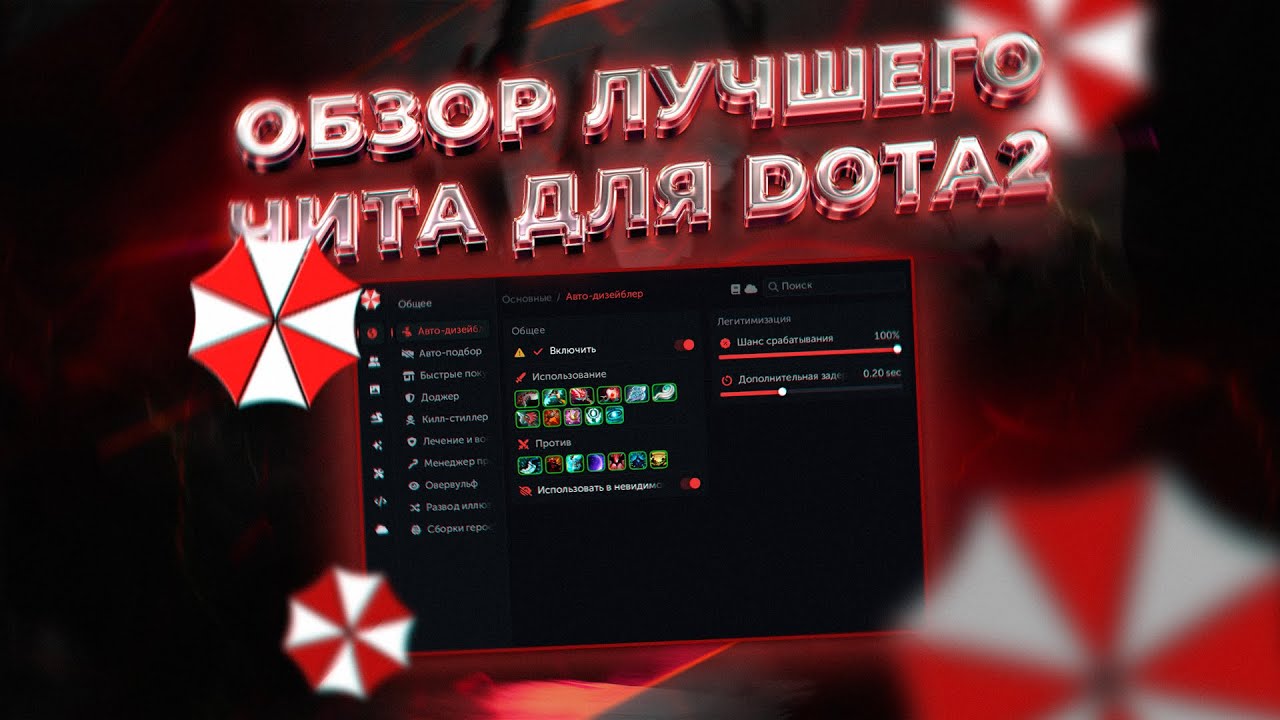
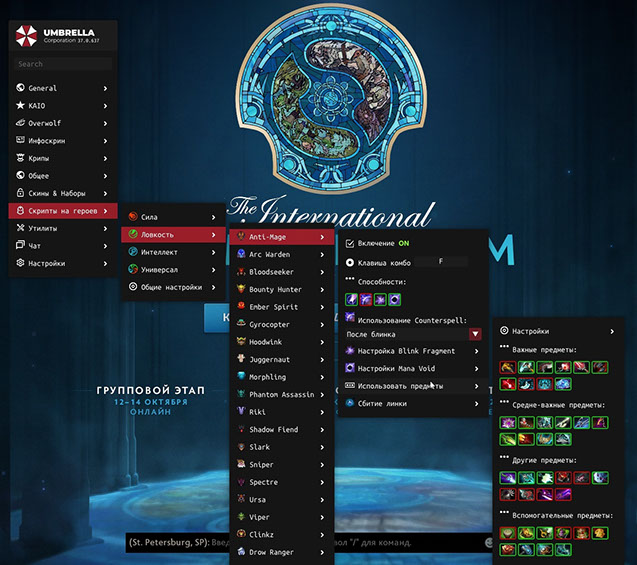
信頼できる開発者である Umbrella が提供する、ゲーム Dota 2 用の高品質なチートを皆さんに紹介します。 以前はHakeを積極的に配布していましたが、海外開発者の英語のチートはなかなかわかりにくいです。 私たちは、ロシア語を話す技術サポートを備えたロシア語のアナログに注目することにしました。 さらに、傘のコストは 2 分の 1 になります。 理解しやすいです。
Umbrella は、勝利と支配を成功させるために必要なスクリプトをすべて含む高品質の製品を作成しました。
ゲームへの目に見えないチートの導入。 リリース以来、VAC ブロックは 1 つもありません。 多彩な機能バリエーション。 スクリプトは FPS には影響しません。 プロジェクトチームによる年中無休の技術サポート。 製品アップデートのスピードが速い。 敵に対して顕著な優位性があり、完全な支配につながります。
システム要件
🔔 チートの状態は開発者の通知に基づき当社のTelegramボットから自動更新されます — そちらで最新情報をフォローしてください。多くのチートはゲームの変更後に自動更新されるため、「確認中」の状態はチートが動作しないという意味ではなく、確認までの不確実性にすぎません。不安ですか?サイトのチャットで質問するかお問い合わせをご確認ください。
グローバルキー — 世界中で使用可能。
銀行カードが当社の決済システムで使えない場合、Binance ギフトカード (USDT) でお支払いいただけます。
この方法には固定 +10% のサービス手数料がかかります。プロモコードや割引は適用できません。
- この支払い方法がご希望の商品に対応しているか、お問い合わせください
- お住まいの国のマーケットプレイス(Paxful、Binance、または現地の販売店)で必要な金額の Binance ギフトカード (USDT) を購入してください — お好みの支払い方法で
- ギフトカードのコードを送信してください — 購入を有効化し、商品をお届けします
USDT (TRC-20) はチェックアウト時にもご利用いただけます — 追加手数料なし。
機能
カメラ
- スムーズ ズーム — スムーズなカメラのズームアウト
- 滑らかさの持続時間 — 滑らかさの持続時間の設定
- ズーム タイプ — カメラのズーム タイプ
- ズームステップ — ズームステップ
- カメラ距離 — カメラ距離スライダー
ゾッとする
- Auto Stack — 制御されたユニットによる自動クリープスタッキング
- クリープ ブロッカー — 自動クリープ ブロック
- Auto Lasthit — 自動クリープラストヒット
- Lasthit マーカー — 最後のヒットの視覚的なマーカー
- アグロ / デアグロ — 自動クリープおよびタワー デアグロ
- Creep Wave — 車線に沿って移動するクリープを表示します
トップディスプレイ
- HP/MP バーを表示 — トップパネルに HP/MP バーを表示します
- 味方に表示 — 味方に表示
- Ultimate Bar — 究極の表示 (バー/イメージ モード)
- ルーンタイマーを表示 — 拾ったルーン
- クリープ統計を表示 — 最終ヒットカウンター
- トップパネルを削除 (LALT) — Alt でトップパネルを非表示にします
病棟追跡者
- Render in World — ワールド内でのワード表示
- Ward Render Type — 表示タイプ (2D 画像 / 3D モデル / 両方)
- レンダー範囲パーティクル — 配置されたワード半径
- セントリーから見える - 敵のセントリーのワードゾーン表示
ロシャン
- 画面上の Roshan HP — 画面上の Roshan 情報
- 世界のRoshan HP — 世界のRoshan情報
マップハック
- テレポート — 戦場の霧の中の敵のテレポート可視性
- ミニマップに矢印を描く — ミニマップに矢印を描画します
- Jungle MapHack — 戦場の霧の中でジャングルを耕作する際の敵の視認性 (HP 表示付き)
- アビリティアラート — 戦場の霧の中でのアビリティの使用に関する通知
- Show Illusion — 敵のイリュージョン表示(ヒーローカラー / イリュージョンカラー)
- Show Hidden Spells — 戦争の霧の中で隠された能力
- 直線的な発射物を表示 — 直線的な能力
- グリフの表示と CD のスキャン — 敵のスキャンと要塞化のクールダウン
- 危険な能力タイマー — 危険な能力持続時間タイマー
- ユニットのライフタイムを表示 — 敵制御ユニットの持続時間
- Bounty Runes in World — 戦争の霧を駆け抜ける賞金首ルーン
- Tower Radius — タワーの半径 (敵/すべて)
- Linken を表示 — Linken Sphere エフェクト情報 (テキスト/パーティクル)
ユーティリティ
- 半径 — ゲーム内のすべての半径を表示します(敵を含む)
- MMR トラッカー — 試合後の MMR 追跡
- 役割を表示 — ピック中にすべての敵の役割を表示します
自動化
- アイテムマネージャー — アイテムの自動使用 (味方の回復、Midas など)
- 自動無効化 — 敵の開始を自動的に中断します (ヘックス、オーキッドなど)
- ドジャー — アイテム/能力を使用して能力を自動的に回避します
- Kill Stealer — アビリティ/アイテムで敵ヒーローを自動的に仕留めます
- スナッチャー — アイテムと賞金ルーンの自動ピックアップ (ルーンを獲得する確率は 99%)
- アンチイリュージョン — ターゲットの能力を本物のヒーローにリダイレクトし、イリュージョンを回避します
- イリュージョンコントローラー — イリュージョン管理
- アームレットの不正使用 - アームレットの自動切り替えの不正使用
- MP/HP 虐待 — 最大のマナ/HP 回復のための素早いアイテムのドロップ/ピックアップ
- 自動受け入れ — 見つかった一致を自動的に受け入れます
- Auto Pick-Ban-Lane — 自動ピック、自動禁止、およびレーン選択
- Courier — 簡素化された宅配便管理
ESP / 情報画面
- Visible by Enemy — 可視性インジケーター (敵/ワードはあなたを認識し、ヒーローとクリープに作用します)
- モディファイア — 重要な効果の持続時間 (Hex、Orchid、BKB など)
- クールダウン表示 — 敵の能力の準備状況とアップグレードレベルを表示します
- アイテム — 味方アイテムと敵アイテムの視覚的表示
- バー — 敵の HP とマナの表示
- 追加のカスタマイズ — ビジュアル スクリプトのカスタマイズ
サイドパネル
- アイテムパネル — 敵のアイテムパネル
- Networthパネル — 敵と味方のヒーローの純資産
通知
- アイテム購入 — 重要な敵アイテム購入の通知
- 敵の呪文 — 危険なスキル使用の通知 (ミラーナ、ニクス アルティメットなど)
- Smoke of Deceit — 煙の使用に関する通知
- Bounty — バウンティルーンのスポーン通知
- サイドルーン — パワーアップルーンのスポーン通知
- Camp Stack — クリープキャンプスタックリマインダー
ミニマップ
- ミニマップに表示されるパワーアップルーン、ワード、バウンティルーン
- ミニマップに表示 — サイズ設定を備えたミニマップ上にアイコンを表示します
スキンチェンジャー
- スキン チェンジャー — インベントリ内のすべてのゲーム スキン
- エフェクト — すべての TI からのエフェクト (置き換えられた攻撃、赤いシヴァなど)
- 川 — カラフルな川の選択
- Tree Changer — ツリーの置き換え
ロックを解除します
- DotaPlus のロックを解除する — Dota Plus のロックを解除する
- 感情のロックを解除 — すべての絵文字のロックを解除します
- 迷宮のロックを解除 — 迷宮の通路を表示します
- トレーニング報酬のロックを解除 — ワンクリックで初心者トレーニングを完了
設定
- スクリプト リスト — 組み込みスクリプトを有効/無効にする
- メニューキー — チートメニューを開くキーを変更します
- リロード キー — スクリプト リロード キー
- メニュー状態の保存 - メニュータブの状態を保存
- Block Dota Click — チートメニューが開いているときにゲームのクリックをブロックします
- スクリプト言語 — チート言語を変更する
- セーフ モード — カメラのズームを無効にし、カメラ外のアクションをブロックします
- Hide ScriptsUI Key — キーバインドでチートのビジュアル部分を隠す
カスタマーレビュー
すべてのレビューよくある質問
Umbrella Dota 2の使用は安全ですか?
Umbrella Dota 2のインストールと起動方法は?
Dota 2のアップデート後もUmbrella Dota 2は動作しますか?
Umbrella Dota 2にはどんな機能が含まれていますか?
どの支払い方法が利用できますか?
サポートにはどう連絡しますか?
お支払い後、ソフトウェアのアクティベーション、起動、使用方法の詳細な説明をお届けします。
説明はお支払い前に指定されたメールアドレスに送信されます。
ダウンロードリンクと必要なコンポーネントもそちらでご確認いただけます。
チートコミュニティ
チートのアップデート、検出ステータス、他プレイヤーからのサポート — TelegramとDiscordで。