Umbrella Dota 2
Dota 2 게임용 개인 치트 Umbrella를 구매하세요.
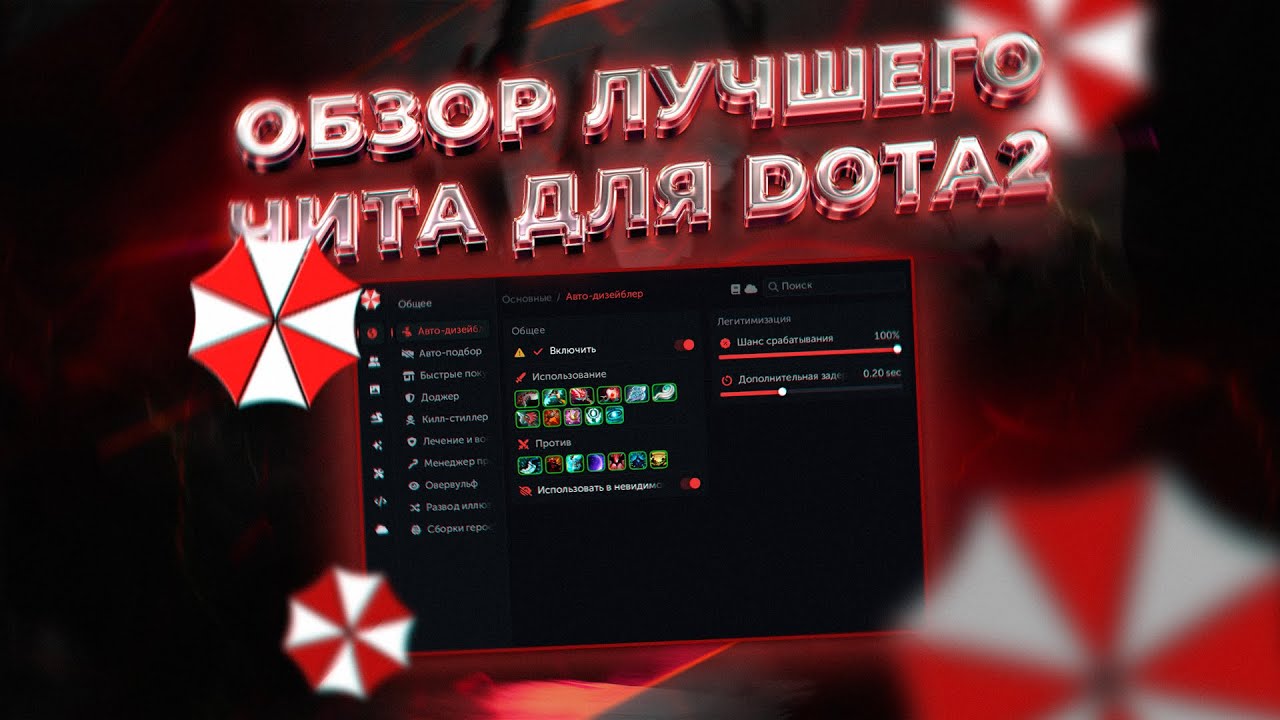
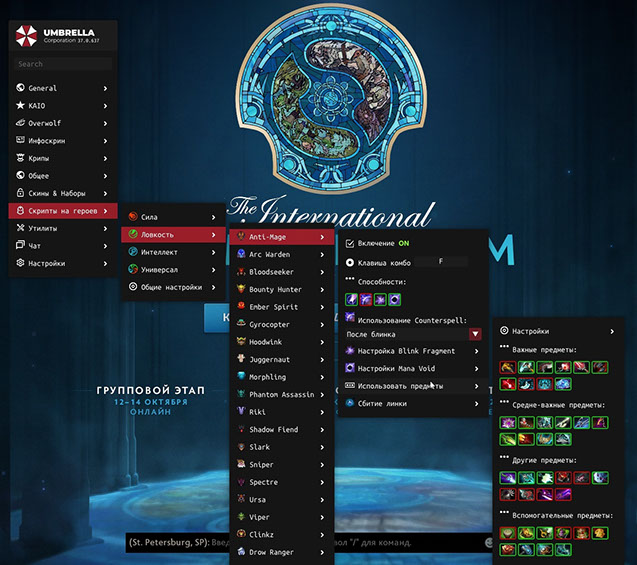
신뢰할 수 있는 개발자 Umbrella가 제작한 Dota 2 게임용 고품질 치트를 여러분께 선보입니다. 이전에는 Hake를 적극적으로 배포했지만 외국 개발자의 치트는 영어로 이해하기가 상당히 어렵습니다. 우리는 러시아어를 사용하는 기술 지원을 통해 러시아어 아날로그에 관심을 집중하기로 결정했습니다. 또한 Umbrella의 가격은 2배 저렴합니다. 이해하기가 더 쉽습니다.
Umbrella는 성공적인 승리와 지배를 위해 필요한 모든 스크립트가 포함된 고품질 제품을 만들었습니다.
게임에 치트가 눈에 보이지 않게 도입되었습니다. 출시 이후 단일 VAC 블록이 없습니다. 다양한 기능 변형. 스크립트는 FPS에 영향을 주지 않습니다. 프로젝트 팀의 연중무휴 기술 지원. 제품 업데이트 속도가 빠릅니다. 적에 비해 눈에 띄는 이점이 있어 완전한 우위를 점할 수 있습니다.
시스템 요구사항
🔔 치트 상태는 개발자 알림에 따라 텔레그램 봇에서 자동으로 업데이트됩니다 — 그곳에서 소식을 확인하세요. 많은 치트는 게임 변경 후 스스로 업데이트되므로 «확인 중» 상태가 치트가 작동하지 않는다는 뜻은 아니며, 확인 전까지의 불확실성일 뿐입니다. 확실하지 않나요? 사이트 채팅에서 문의하거나 연락처를 확인하세요.
글로벌 키 — 전 세계에서 사용 가능.
은행 카드가 결제 시스템에서 작동하지 않는 경우, Binance 기프트 카드 (USDT)로 결제할 수 있습니다.
이 방법에는 고정 +10% 수수료가 부과됩니다. 프로모션 코드 및 할인은 적용할 수 없습니다.
- 이 결제 방법이 원하시는 제품에 사용 가능한지 문의해 주세요
- 국내 마켓플레이스(Paxful, Binance 또는 현지 판매자)에서 필요한 금액의 Binance 기프트 카드(USDT)를 구매하세요 — 편리한 결제 수단으로
- 기프트 카드 코드를 보내주시면 — 구매를 활성화하고 제품을 전달해 드립니다
USDT (TRC-20)도 결제 페이지에서 사용할 수 있습니다 — 추가 수수료 없이.
기능
카메라
- 부드러운 줌 — 부드러운 카메라 줌아웃
- 부드러움 지속 시간 — 부드러움 지속 시간 설정
- 줌 유형 - 카메라 줌 유형
- 줌 단계 — 줌 단계
- 카메라 거리 - 카메라 거리 슬라이더
크립
- Auto Stack — 제어된 장치를 사용한 자동 크립 스태킹
- 크리프 차단기 — 자동 크리프 차단
- Auto Lasthit — 자동 크립 마지막 타격
- Lasthit Markers — 마지막 타격에 대한 시각적 마커
- Agro / Deagro — 자동 크립 및 타워 데그로
- Creep Wave — 차선을 따라 움직이는 크립을 표시합니다.
상단 디스플레이
- HP/MP 막대 표시 — 상단 패널에 HP/MP 막대 표시
- 동맹국에 표시 — 동맹국에 표시
- Ultimate Bar — 최고의 디스플레이(막대/이미지 모드)
- 룬 타이머 표시 - 주운 룬
- Creep Stat 표시 — 마지막 히트 카운터
- 상단 패널 제거(LALT) — Alt를 사용하여 상단 패널 숨기기
와드 추적기
- 렌더링 인 월드(Render in World) - 월드에 와드 표시
- 병동 렌더링 유형 - 표시 유형(2D 이미지 / 3D 모델 / 둘 다)
- 렌더 범위 입자 - 배치된 와드 반경
- Sentry에서 볼 수 있음 — 적의 Sentry Ward 구역 표시
로샨
- 화면의 Roshan HP — 화면의 Roshan 정보
- 세계 속의 Roshan HP — 세계 속의 Roshan 정보
지도 해킹
- 순간이동 — 전쟁의 안개 속에서도 적의 순간이동 가시성이 확보됩니다.
- 미니맵에 화살표 그리기 — 미니맵에 화살표 그리기
- Jungle MapHack — 전쟁의 안개 속에서 정글을 농사하는 동안 적의 가시성(HP 디스플레이 포함)
- 능력 경고 — 전쟁의 안개 속에서 능력 사용에 대한 알림
- 환상 표시 — 적 환상 표시(영웅 색상/환상 색상)
- 숨겨진 주문 표시 — 전쟁의 안개 속에 숨겨진 능력
- 선형 발사체 표시 — 선형 능력
- Show Glyph and Scan CD — 적 스캔 및 요새화 쿨다운
- 위험한 능력 타이머 — 위험한 능력 지속 시간 타이머
- 유닛 수명 표시 — 적이 제어하는 유닛 지속 시간
- 세계의 현상금 룬 — 전쟁의 안개 속 현상금 룬
- Tower Radius — 타워 반경(적/모두)
- Linken 표시 — Linken Sphere 효과 정보(텍스트/입자)
유틸리티
- 반경 — 게임 내 모든 반경을 표시합니다(적 포함).
- MMR Tracker — 게임 후 MMR 추적
- 역할 표시 — 선택 중 모든 적의 역할을 표시합니다.
자동화
- 아이템 관리자 — 자동 아이템 사용(아군 치유, 마이다스 등)
- 자동 비활성화 — 자동으로 적 개시(Hex, Orchid 등)를 중단합니다.
- Dodger — 아이템/능력을 사용하여 자동으로 능력을 회피합니다.
- 킬 스틸러(Kill Stealer) — 능력/아이템으로 적 영웅을 자동으로 처치합니다.
- 강탈자 — 아이템 및 현상금 룬 자동 수집(99% 확률로 룬 획득)
- 환상 방지 — 환상을 우회하여 대상 능력을 실제 영웅에게 리디렉션합니다.
- Illusion Controller — 환상 관리
- Armlet 남용 — 자동 armlet 토글 남용
- MP/HP 남용 - 최대 마나/HP 회복을 위한 빠른 아이템 드랍/픽업
- 자동 수락 — 발견된 일치 항목을 자동으로 수락합니다.
- 자동 선택-금지-차선 — 자동 선택, 자동 금지 및 차선 선택
- 택배 — 단순화된 택배 관리
ESP / 정보 화면
- Visible by Enemy — 가시성 표시기(적/와드가 당신을 볼 수 있으며 영웅과 크립에 작동함)
- 수정자 — 중요한 효과의 지속 시간(Hex, Orchid, BKB 등)
- 쿨다운 표시 — 적 능력의 준비 상태와 업그레이드 수준을 표시합니다.
- 아이템 — 아군과 적 아이템의 시각적 표시
- 바 — 적 HP 및 마나 표시
- 추가 사용자 정의 — 시각적 스크립트 사용자 정의
측면 패널
- 아이템 패널 - 적 아이템 패널
- Networth 패널 — 적군과 아군 영웅의 순자산
알림
- 아이템 구매 - 적의 중요한 아이템 구매 알림
- Enemy Spells — 위험한 스킬 사용 알림(Mirana, Nyx 궁극기 등)
- Smoke of Deceit — 연기 사용 알림
- 현상금 — 현상금 룬 생성 알림
- 사이드 룬 — 파워업 룬 생성 알림
- 캠프 스택 — 크립 캠프 스택 알림
미니맵
- 미니맵에 파워업 룬, 와드, 현상금 룬이 표시됩니다.
- 미니맵에 표시 — 크기 설정으로 미니맵에 아이콘 표시
스킨체인저
- 스킨 체인저 — 인벤토리에 있는 모든 게임 스킨
- 효과 — 모든 TI의 효과(교체 공격, 빨간색 Shiva 등)
- 강 — 다채로운 강 선택
- 트리 체인저 - 트리 교체
잠금 해제
- DotaPlus 잠금 해제 — Dota Plus 잠금 해제
- 감정 잠금 해제 — 모든 이모티콘 잠금 해제
- 미로 잠금 해제 - 미로 통로 표시
- 교육 보상 잠금 해제 — 한 번의 클릭으로 초보자 교육 완료
설정
- 스크립트 목록 — 내장 스크립트 활성화/비활성화
- 메뉴 키 - 치트 메뉴 열기 키 변경
- 다시 로드 키 — 스크립트 다시 로드 키
- 메뉴 상태 저장 — 메뉴 탭 상태 저장
- Block Dota Click — 치트 메뉴가 열려 있으면 게임 클릭을 차단합니다.
- 스크립트 언어 — 치트 언어 변경
- 안전 모드 - 카메라 확대/축소를 비활성화하고 카메라 외부 동작을 차단합니다.
- Hide ScriptsUI Key — 키 바인딩으로 치트 시각적 부분 숨기기
고객 리뷰
모든 리뷰자주 묻는 질문
Umbrella Dota 2을(를) 사용하는 것이 안전한가요?
Umbrella Dota 2을(를) 어떻게 설치하고 실행하나요?
Dota 2 업데이트 후에도 Umbrella Dota 2이(가) 작동하나요?
Umbrella Dota 2에는 어떤 기능이 포함되어 있나요?
어떤 결제 수단을 사용할 수 있나요?
고객 지원은 어떻게 문의하나요?
결제 후 소프트웨어의 활성화, 실행 및 사용에 대한 자세한 안내를 받으실 수 있습니다.
안내는 결제 전 제공한 이메일 주소로 전송됩니다.
다운로드 링크와 필요한 구성 요소도 함께 제공됩니다.
치트 커뮤니티
치트 업데이트, 탐지 상태, 다른 플레이어의 도움 — 텔레그램과 디스코드에서.