Clutch for Battlefield 6
Clutch BF6 DMA — Private DMA Cheat for Battlefield 6 with ESP and Radar
This software requires: DMA board (PCIe slot), second PC (radar), firmware for masking, KmBox (for aimbot).
Learn more about DMA cheats →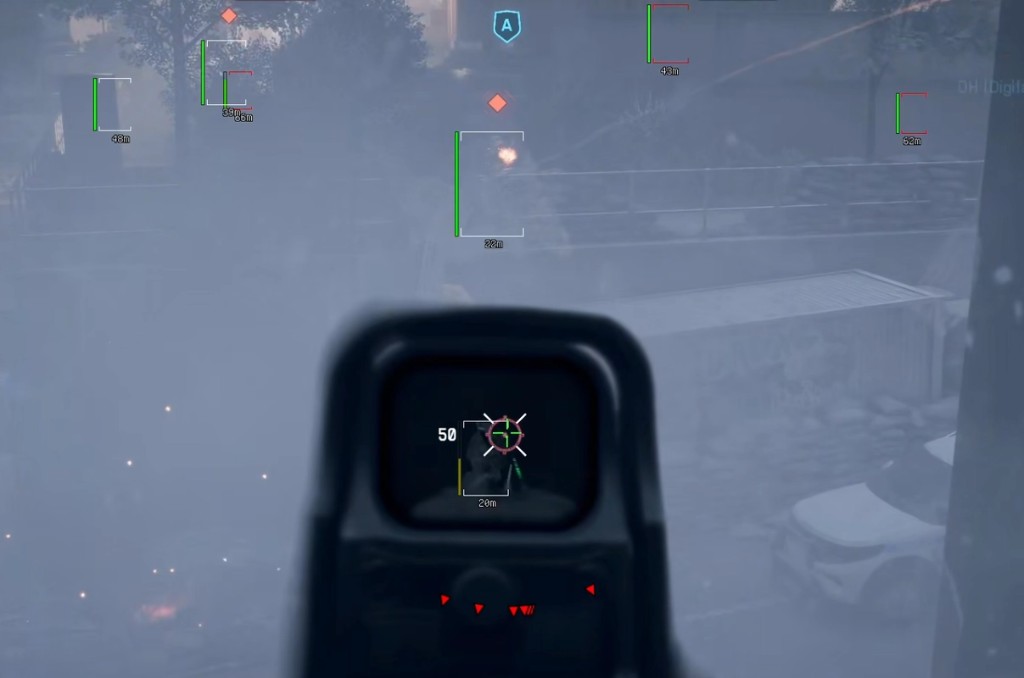
CLUTCH DMA is a modern visual cheat for Battlefield 6, running via a DMA board on a second PC. Maximum safety and anti-cheat resistance thanks to direct memory access technology — the main system remains untouched, making detection virtually impossible.
The program provides full control over visual information: Player ESP with bones, health, distance and arrow direction indicators, plus a built-in 2D radar (minimap) with flexible customization — circular or square mode, scaling, custom screen placement.
CLUTCH DMA delivers stable FPS, clean visuals and deep customization: color settings, sizes, distances, hotkeys, save/load configs, community config import. The menu is controlled via browser — from PC, smartphone or tablet.
System Requirements
Global keys — work worldwide.
Payment with a Binance card may be available for selected products. Contact us privately before buying to check availability and agree the details.
Features
Visuals
- Crosshair — customizable crosshair
- Player ESP — player display
- Player Name [in progress]
- Player Bones — player skeleton
- Player Distance
- Player Health
- Player Arrow Indicators — direction arrows
Radar
- 2D Radar (Minimap) [in progress]
- Color — color settings
- Circular / Square Mode
- Custom Position
- Team Icon Size / Enemy Icon Size
- Radar Size
Config
- 100% Configurable Menu (on/off, adjust values, change colors)
- Easy Configuration
- Save / Load Configs
- Multiple Configs
- Import / Export Community Configs
- Browser Menu — control via browser (PC / smartphone / tablet)
- Languages: English, Chinese, Portuguese, German
Visual Settings
- Player Render Distance
- Player Health Render Distance
- Show Own Health Bar
- Player Arrow Toggle / Size / Outline / Radius Size
- Crosshair Gap / Dot / Lines / Outline / Thickness
Color Settings
- Player Box Visible — visible player color
- Player Box Not Visible — non-visible player color
- Player Arrow Color
- Crosshair Color
MISC
- VSync — vertical sync
- Show ESP FPS
- ESP FPS Limit
Frequently Asked Questions
What features are included in Clutch?
What payment methods are accepted?
How to contact support?
Payment is confirmed, but the product is missing. How long should I wait?
I have a key. Where are the download and instructions?
After payment you will receive detailed instructions on activation, launch and use of the software.
Instructions will be sent to the email address specified before payment.
You will also find a download link and necessary components for the software.
Cheat community
Cheat updates, detection status and help from other players — in our Telegram and Discord.