Clutch for Deadlock
Buy Clutch DMA Cheat for Deadlock — Aimbot, ESP, Radar, DMA Card
This software requires: DMA board (PCIe slot), second PC (radar), firmware for masking, KmBox (for aimbot).
Learn more about DMA cheats →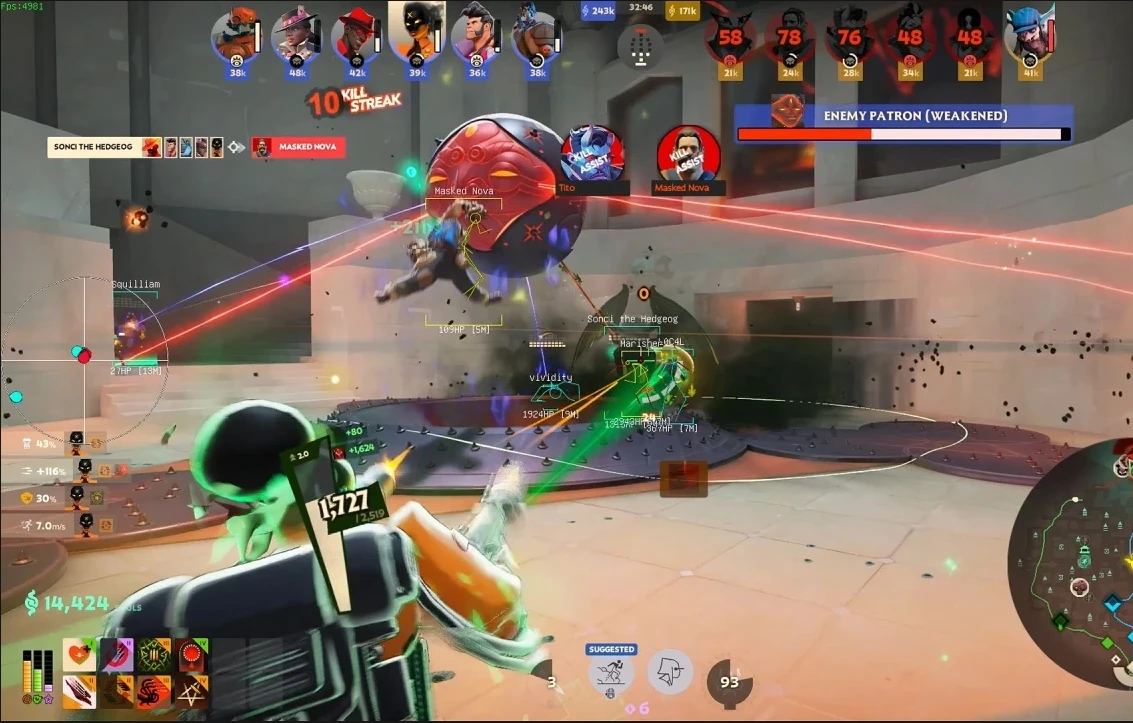
Clutch DMA is a private DMA cheat for Deadlock with advanced Aimbot, Triggerbot and ESP features for full control over the situation on the map. Reading memory through a dedicated DMA card keeps the software invisible to anti-cheat and requires no injection into the game process; OBS recording bypass is included.
The aimbot offers FOV, speed and per-axis smoothing settings, bone selection and distance, an always-on mode, multiple activation keys and target preview. The triggerbot fires automatically when aiming at a target, with delay, cooldown and visibility-time settings. Player ESP shows boxes, skeletons, name, hero, distance and look direction with separate settings for teammates and enemies and full color customization. There is also a custom crosshair, spectator warning, display of Power-Ups, teleporters, neutral NPCs and destructible objects, while a 2D radar shows player positions on the minimap. The web menu works from PC, phone and tablet.
System Requirements
Global keys — work worldwide.
Payment with a Binance card may be available for selected products. Contact us privately before buying to check availability and agree the details.
Features
Aimbot
- Toggle and always-on mode
- Aim key and secondary key
- Bone selection
- FOV circle and FOV setting
- Aim speed
- Smoothing X and Y
- Distance
- Minimum visibility time
- Smoothing reset
- Aim preview
Extra visuals
- Indicators
- Custom crosshair
- FOV circle
- Destructible objects
- Power-Up
- Spectator warning
- Teleporters
- Neutral NPCs
Colors
- Crosshair color
- Enemy color
- Teammate color
- Box color
- Object color
- Power-Up color
- Spectator list color
- Teleporter color
- NPC color
Miscellaneous
- VSync
- FPS ESP
- Render delay
Triggerbot
- Toggle and always-on mode
- Trigger key
- Delay and cooldown
- Distance
- Minimum visibility time
Player ESP
- Player and teammate ESP
- Boxes
- Skeleton
- Head only or headless skeleton
- Name and hero info
- Distance
- Look direction line
- Target focus
- Preview
Render distances
- Player distance
- Skeleton distance
- Health distance
- Object distance
- Power-Up distance
- Teleporter distance
- NPC distance
Radar
- 2D radar (minimap)
- Color settings
- Circle or square mode
- Radar position
- Teammate icon size
- Enemy icon size
- Radar size
Config
- Fully customizable menu
- Save configs
- Load configs
- Multiple configs
- Import and export
- Web menu (PC, phone, tablet)
Frequently Asked Questions
What features are included in Clutch?
What payment methods are accepted?
How to contact support?
Payment is confirmed, but the product is missing. How long should I wait?
I have a key. Where are the download and instructions?
After payment you will receive detailed instructions on activation, launch and use of the software.
Instructions will be sent to the email address specified before payment.
You will also find a download link and necessary components for the software.
Cheat community
Cheat updates, detection status and help from other players — in our Telegram and Discord.