CA PUBG for HWID Spoofers
HWID Spoofer Crooked Arms for the game PUBG
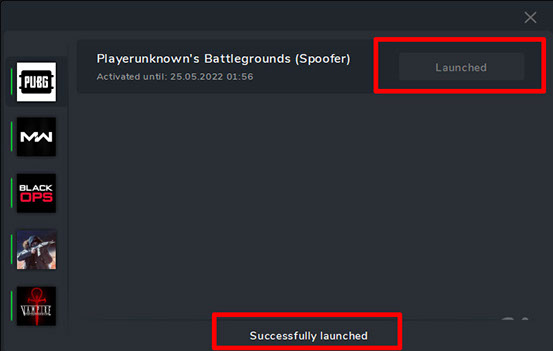
HWID Spoofer Crooked Arms is a temporary HWID spoofer designed exclusively for the game PUBG. The program is used to temporarily remove a hardware lock (HWID ban) by replacing the unique identifiers of your computer.
Remember that you must understand what you are getting into when using this software!
This software uses unique hardware identifiers of your PC.
1 account = 1 PC. On the first launch, your account is bound to the current PC. Further use of the same account on another PC is not possible.
- If you are using a spoofer — disable it and restart your computer.
- If you still use a spoofer — first log in to the launcher, then run the spoofer (a PC restart is required beforehand).
- Error «Hardware component has changed» — see the instructions above.
How the spoofer works
- Removes hardware ban until the PC is restarted. After restart, the original PC data is restored.
- The Spoofer does not unban your account — it unbans your PC for the duration of the Spoofer session.
- The spoofer only needs to be launched once until the next PC restart.
- If you use the Spoofer and a cheat at the same time — first launch the cheat, then launch the Spoofer (a PC restart is required beforehand).
Mandatory (if you keep getting banned)
Before using the spoofer on a new account, follow these steps:
- Change your PC name.
- Restart your PC (required for changes to take effect).
- Create a new Windows user and log in under it.
- In the new account, reset the network: Win + I → Network & Internet → Network reset → confirm.
- Restart your PC.
- After that, you can register a new game account, launch the software and spoofer.
In rare cases, a Windows reinstallation may be necessary.
IMPORTANT: Neglecting these steps may result in a ban!
Before launching
- Close the game and the game launcher before running the software!
- If you previously ran any other software — restart your computer!
- Close the software launcher before starting the game!
- Launch the software from a USB drive (virtual or physical).
- Delete the old software launcher from your PC.
- Failure to follow any of these steps may result in a ban!
System Requirements
🔔 Cheat statuses update automatically from our Telegram bot via developer notifications — follow the news there. Many cheats update themselves after game changes, so a “Checking” status does not mean the cheat is broken — it is just uncertainty until confirmed. Not sure? Ask in the site chat or on our Contacts page.
Global keys — work worldwide.
Payment with a Binance card may be available for selected products. Contact us privately before buying to check availability and agree the details.
Features
Spoofed Data
- Hardware identifiers (HWID)
- Temporary spoofing until PC restart
- Original data restored after reboot
Usage
- 1 account = 1 PC binding
- Removes hardware ban only (not account ban)
- Launch cheat first, then spoofer
- Virtualization must be enabled in BIOS (SVM, VT-x, VT-d)
Compatibility
- PUBG
- Intel / AMD processors
- Windows 10 / Windows 11 x64, Windows 11 26H2
- Launch from USB drive (physical or virtual)
Customer Reviews
All reviewsFrequently Asked Questions
What features are included in CA PUBG?
What payment methods are accepted?
How to contact support?
After payment you will receive detailed instructions on activation, launch and use of the software.
Instructions will be sent to the email address specified before payment.
You will also find a download link and necessary components for the software.
Cheat community
Cheat updates, detection status and help from other players — in our Telegram and Discord.