Ghost ABI FULL for Arena Breakout Infinite
Working private cheat Ghost for the game Arena Breakout: Infinite
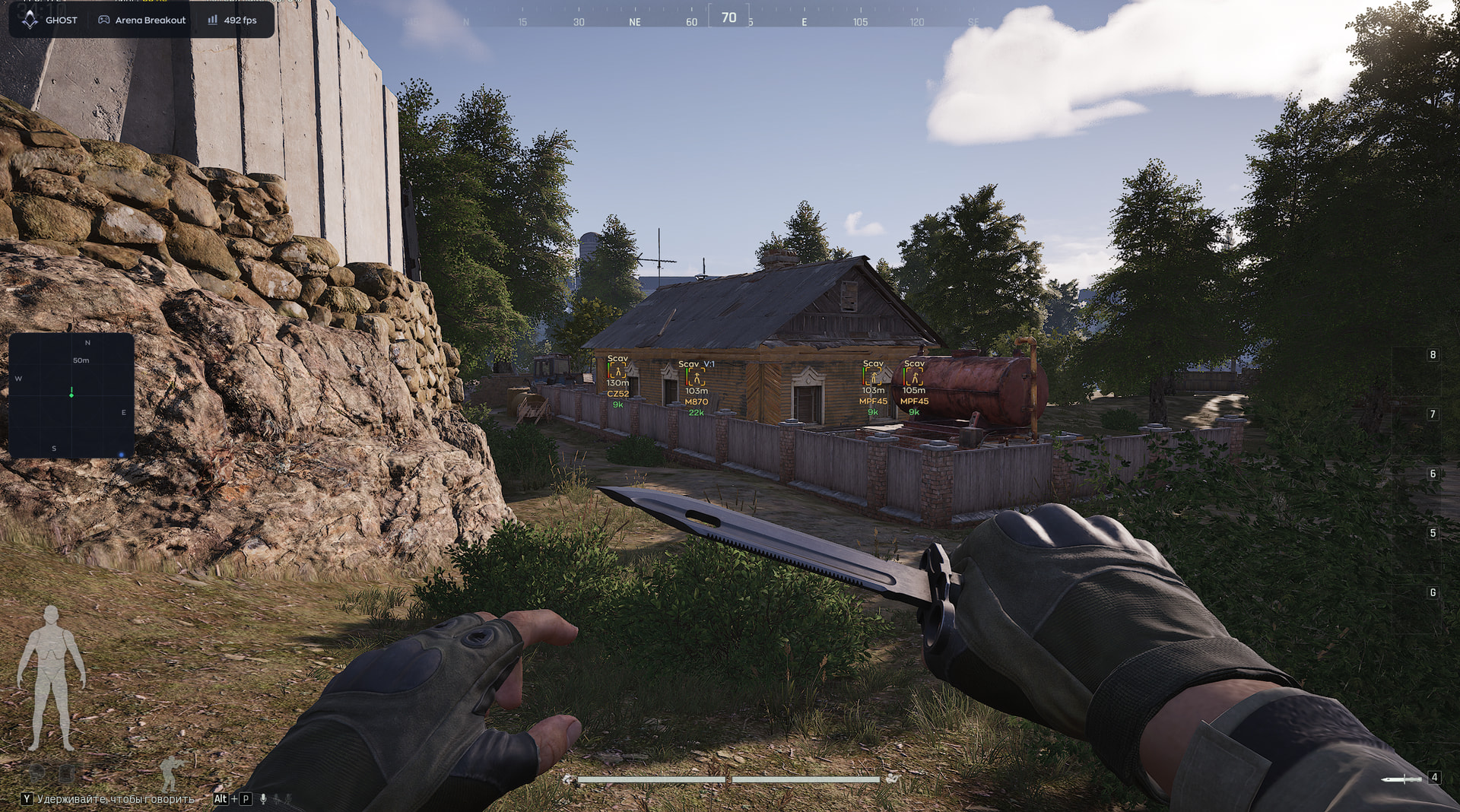
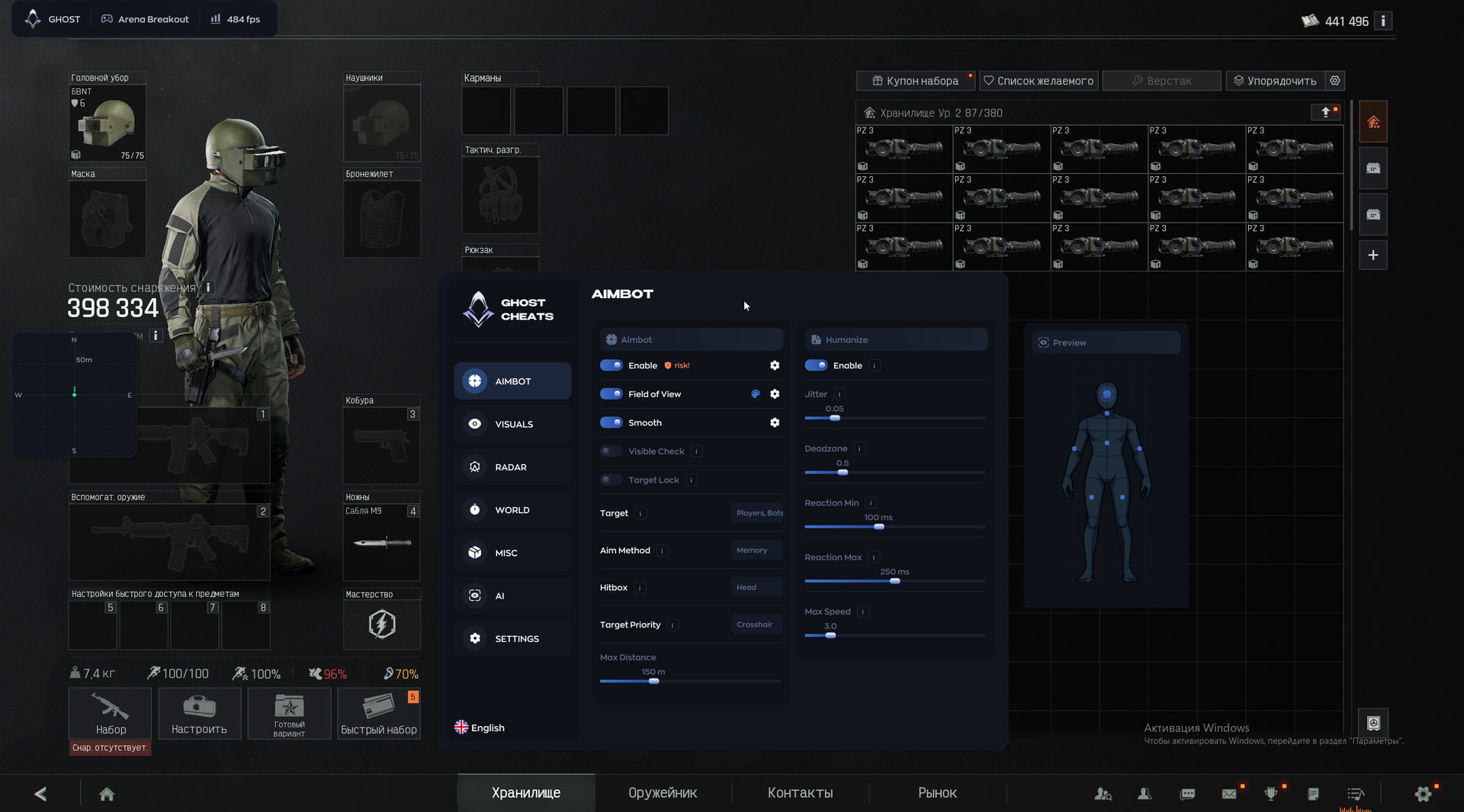
Ghost ABI FULL is the External version for Arena Breakout: Infinite. The new menu includes Memory and Mouse aiming methods, Humanize, separate player and bot ESP, a 2D radar and compass, loot filters, corpses, camera and weapon settings. AI Chat helps select settings, and configs can be saved, exported and imported.
According to the developer, active subscriptions are retained and 5 days are added to existing keys.
System Requirements
🔔 Cheat statuses update automatically from our Telegram bot via developer notifications — follow the news there. Many cheats update themselves after game changes, so a “Checking” status does not mean the cheat is broken — it is just uncertainty until confirmed. Not sure? Ask in the site chat or on our Contacts page.
Global keys — work worldwide.
Payment with a Binance card may be available for selected products. Contact us privately before buying to check availability and agree the details.
Features
Aimbot
- Enable — enable the aimbot
- Field of View — target acquisition radius
- Smooth — aim smoothing
- Visible Check — aim at visible targets only
- Target Lock — keep the selected target locked
- Target — select players and bots
- Aim Method — Memory or Mouse aiming method
- Multi Hitbox — select multiple aiming bones
- Target Priority — target selection priority
- Max Distance — maximum aimbot distance
Bot ESP
- Enable — enable bot ESP
- Visible Check — color based on bot visibility
- Box — box around the bot
- Skeleton — bot skeleton
- Name — bot name
- Distance — distance to the bot
- Offscreen Arrows — direction to offscreen bots
- Health — bot health
- Weapon — weapon held by the bot
- Price — bot equipment value
- Armor — bot armor and its condition
Corpses
- Enable — display dead players and bots
- Bot Corpse — separate bot corpse display
Loot
- Enable — display items on the map
- Common — common items
- Rare — rare items
- Epic — epic items
- Legendary — legendary items
- Mythic — mythic items
- Red — red rarity items
Camera
- FOV Changer — change the camera field of view
- Free Camera — free camera independent of the character
AI Chat
- AI Assistant — select and adjust settings through AI chat
Configs
- Create — create a configuration
- Save — save a configuration
- Load — load a configuration
- Delete — delete a configuration
- Export — export a configuration
- Import — import a configuration
Humanize
- Enable — enable aim humanization
- Jitter — small aiming movements
- Deadzone — area without aim correction
- Reaction Min — minimum reaction delay
- Reaction Max — maximum reaction delay
- Max Speed — maximum aiming speed
Player ESP
- Enable — enable player ESP
- Visible Check — color based on target visibility
- Box — box around the player
- Skeleton — player skeleton
- Name — player name
- Distance — distance to the player
- Offscreen Arrows — direction to offscreen targets
- Health — player health
- Level — player level
- Party — team or party identification
- Weapon — weapon held by the player
- Price — player equipment value
- Armor — armor and its condition
Radar
- Enable — enable the 2D radar
- Draw Outline — radar window outline
- Draw Background — radar background
- Point Style — target marker style
- Size — radar window size
- Max Distance — maximum radar distance
- Point Size — marker size
- Zoom — radar zoom
- Compass Bar — compass bar with enemy markers
Loot display
- Count — item count
- Max Distance — maximum display distance
- Min Price — minimum item value
- Font Size — label font size
Weapon
- No Recoil — disable recoil
- Instant ADS — instant aiming down sights
- No Sway — disable weapon sway
- Auto Mode — automatic firing mode
- Fast Reload — faster reload
- Fast Magazine — faster magazine changes
Menu
- Watermark — onscreen logo
- Keybind Indicator — hotkey indicator panel
- Shadow Text — text shadow for the menu and ESP
- Battle Mode — compact interface for combat
- Crosshair — custom crosshair overlay
- Menu Key — menu toggle key
- DPI Scale — interface scaling
What's new in this cheat
Recent software updates — from the freshest to older ones.
-
Ghost ABI FULL: new External version and AI Chat
Updated features and project type. New menu, 9 screenshots, AI Assistant, compass and config import/export. The developer says active subscriptions are retained and existing keys receive 5 extra days.
-
Ghost ABI FULL — new menu and current features
Updated Ghost ABI FULL from new in-game screenshots: refreshed the aimbot and Humanize, weapon settings and exploits, separate Player and Bot ESP, loot and corpse display, radar and configs. Stale items from the previous version and the old HUD were removed. Added 10 new screenshots in JPEG, WebP and AVIF.
-
Ghost ABI FULL — archived April 13 update
Archived entry: the April 13 feature set no longer describes the current product. The current features and new menu screenshots are published on the Ghost ABI FULL page and in the August 23, 2026 update.
Menu Screenshots
Customer Reviews
All reviewsFrequently Asked Questions
Is it safe to use Ghost ABI FULL?
How to install and launch Ghost ABI FULL?
Does Ghost ABI FULL work after a Arena Breakout Infinite update?
What features are included in Ghost ABI FULL?
What payment methods are accepted?
How to contact support?
After payment you will receive detailed instructions on activation, launch and use of the software.
Instructions will be sent to the email address specified before payment.
You will also find a download link and necessary components for the software.
Cheat community
Cheat updates, detection status and help from other players — in our Telegram and Discord.