NovaMacro for PUBG
NovaMacro PUBG — AI-powered macro with weapon recognition and recoil control
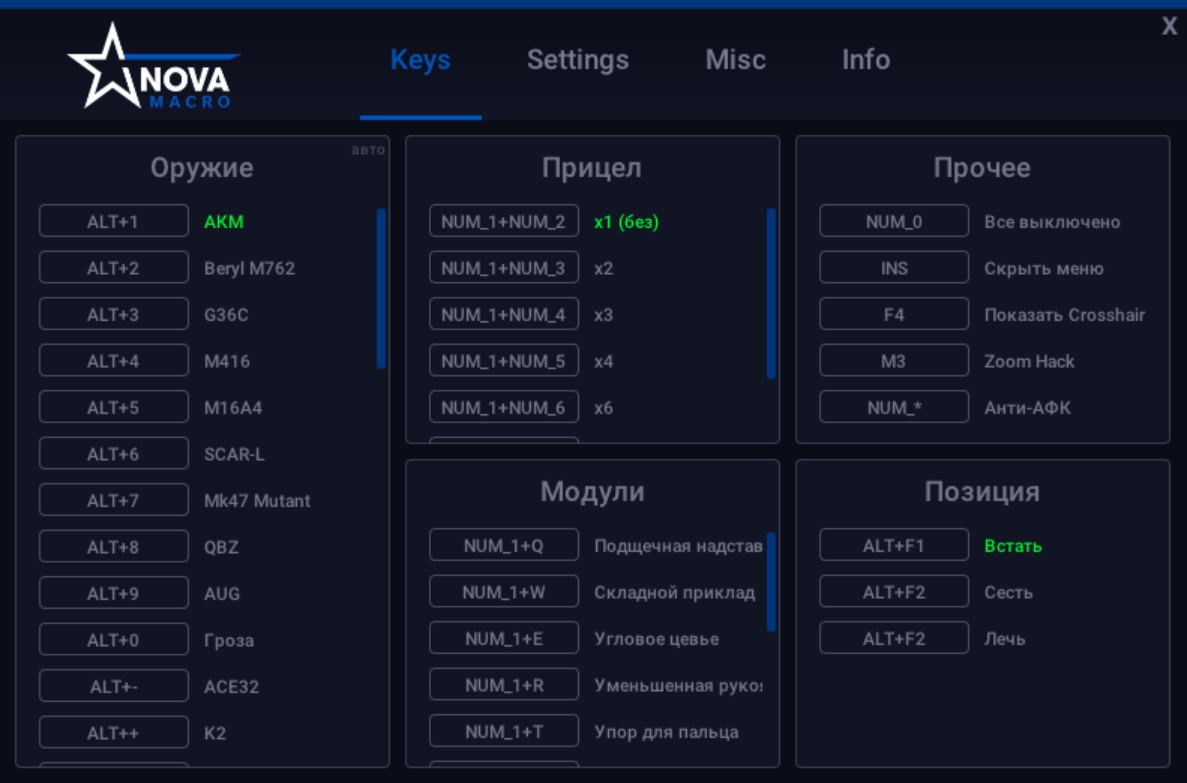
NovaMacro PUBG is a private macro for PUBG powered by artificial intelligence. The program automatically recognizes the weapon in hand, detects attached scopes and modules, accounts for body position (standing, crouching, prone) and firing mode (hip fire, shoulder, ADS), adapting recoil control to every situation.
The macro supports any mouse and keyboard, works on any screen resolution and graphics settings. Built-in auto-setup configures all necessary parameters with a single click. Additional features include auto-fire, Zoom Mode for magnifying distant objects, Anti-AFK, graphical crosshair, and menu hiding for streaming.
NovaMacro is not a cheat — the program does not inject into the game or modify game files. All functionality is based on AI. The macro supports cloud gaming (GeForce Now and other services) and has automatic updates.
System Requirements
🔔 Cheat statuses update automatically from our Telegram bot via developer notifications — follow the news there. Many cheats update themselves after game changes, so a “Checking” status does not mean the cheat is broken — it is just uncertainty until confirmed. Not sure? Ask in the site chat or on our Contacts page.
Global keys — work worldwide.
Payment with a Binance card may be available for selected products. Contact us privately before buying to check availability and agree the details.
Features
Main
- Support for any mouse — the macro works with absolutely any mouse, whether office or gaming from A4Tech, Bloody, Logitech, Razer, Corsair and others
- Auto-setup — automatic configuration of all parameters for your computer with a single click
- Smart weapon recognition system — the macro automatically detects the weapon in hand on any resolution, aspect ratio and graphics settings
- Auto-detection of scopes and modules — automatic recognition of any scope or module attached to your weapon
- Recoil compensation for all weapons — full recoil control with updates for each season
- Position detection — AI detects body position (standing, crouching, prone) and adjusts control for each weapon
- Firing mode recognition — hip fire, shoulder and ADS with automatic adaptation
- Attachment memory — when switching weapons, the macro remembers all installed attachments
- Scope and module combinations — any scope with any module on any weapon
- Offset adjuster — adjust macro offset in any direction
- Recoil level — ability to lower recoil control level on any axis
- Any sensitivity — full freedom in sensitivity settings
- Menu — convenient graphical interface for all settings
- Zoom Mode — magnify distant objects without scopes and color inversion
Additional
- Auto-fire — semi-automatic weapons become automatic with maximum fire rate
- Key binds — customizable weapon, module and function switches
- Sound notifications — when switching weapons, modules and functions (can be disabled)
- Graphical crosshair — additional on-screen crosshair
- Anti-AFK — protection from being kicked for inactivity
- Menu hiding — fully hide the interface with one button without disabling the macro (for streaming)
- Cloud gaming — support for GeForce Now and other cloud services
Security
- No injections — the macro never touches game files, all functionality is AI-based
- Optimization — minimal system load, works even on low-end PCs
- Automatic updates — latest version on every launch
Customer Reviews
All reviewsFrequently Asked Questions
What features are included in NovaMacro?
What payment methods are accepted?
How to contact support?
After payment you will receive detailed instructions on activation, launch and use of the software.
Instructions will be sent to the email address specified before payment.
You will also find a download link and necessary components for the software.
Cheat community
Cheats for PUBG and PUBG Mobile: updates, detection status and a players' chat.