Call of Duty Mobile is its own software market, living by mobile rules. There are almost no fifty-feature PC-style kits here — instead you get short Android builds, where the real question is not “how many features” but “which server will this even launch on”.
What to understand before you buy
The game build matters more than the feature list. Both lines in our catalog are declared for the Garena version of CoD Mobile. That is not a formality: the global client and the Garena client are different builds with different updates and different checks. Software compiled for Garena simply will not come up on global.
No root required — and that is a trade-off. Both builds run on stock Android without superuser access. The upside is obvious: no need to break your device, no voided warranty, minimal barrier to entry. The downside follows: without root the program has less access to the game process, so the feature set is deliberately narrower than on PC. The VVIP developer openly recommends sticking to visual features — honest advice, and worth taking literally.
The protection and how it works
The CoD Mobile client is built by TiMi (a Tencent studio), and its protection belongs to the same family as the publisher’s other mobile titles: process integrity checks on the device plus server-side statistics — accuracy, turn speed, hits through geometry.
Emulators are a separate topic. As in other mobile battle royales, PC players are routed into their own matchmaking pool. If you play through GameLoop or similar, read the dedicated breakdown: the mechanics match those described in the PUBG Mobile emulator guide.
Current line statuses are on the Call of Duty Mobile page.
What the builds give you
Visuals
The core value of mobile software. Exact enemy positions behind cover, distance, extra target information. In mobile CoD, with its short maps and dense fights, knowing a position matters more than snap speed.
Aim
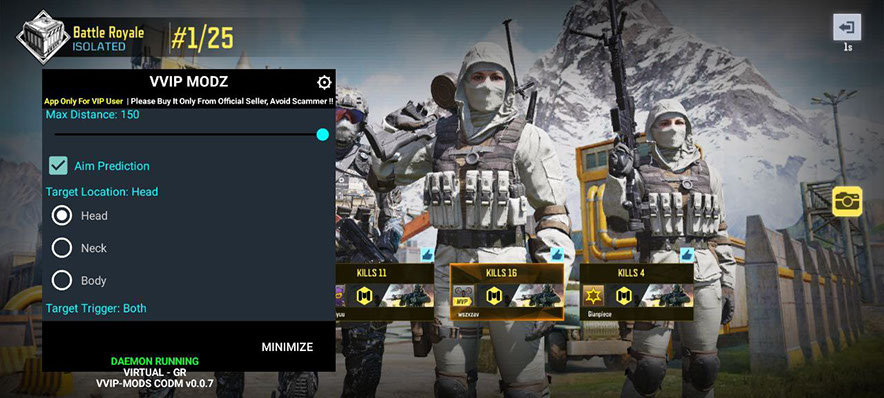
Mobile builds do include auto-aim, but it is markedly simpler than a PC aimbot: no bone selection, no fine FOV or smooth tuning. Think enhanced aim assist rather than a full aimbot.
What the catalog carries
- VVIP — Android, Garena, no root. The developer promises no heavy kit: the job is showing exact enemy positions. The feature set changes regularly in both directions, and launch issues occasionally come up and get resolved through developer support. Tiers: 3 days 277 ₽, 7 days 1150 ₽, 30 days 2800 ₽.
- Attic COD Mobile — also Android without root, Garena build, compatible with all modern devices. Visual Menu gives full control over visual elements and enemies through walls, Auto Aim handles precise targeting, and the Memory block supplies extra information about targets. More flexible tiers: 24 hours 170 ₽, 3 days 277 ₽, 7 days 695 ₽, 30 days 2150 ₽, 60 days 3360 ₽, 90 days 4640 ₽.
The practical difference is tier flexibility and the daily option: Attic’s 24 hours at 170 ₽ is the cheapest way to verify compatibility with your specific handset without committing to a week.
How to play without a ban
- Check your server before paying. Garena is a separate client, not a region. If you play global, these builds are not for you.
- Start with a day. Mobile software is fussier than its PC equivalents, and compatibility with a specific phone model is only proven in practice. That is what the daily tier is for.
- Visuals only at first. That is the developer’s recommendation, not our caution: without root, auto-aim behaves more crudely and more visibly than on PC.
- Do not play right after a game update. Mobile patches arrive through the app store and break builds exactly like PC updates do.
- Do not run software on an account with purchases. Progress and skins are tied to the profile in mobile CoD, and a blocked profile does not come back.
Bottom line
CoD Mobile is a segment where you choose on three things rather than feature counts: the Garena server, the no-root requirement and the price of a daily key. The cheapest way to test is Attic at 170 ₽ for 24 hours; VVIP suits anyone who only wants clean visuals. Playing other mobile shooters? See our breakdowns for PUBG Mobile on Android and iOS and Free Fire.
Dominate Call of Duty: Mobile with our software
Verified cheats and software — updates within 12–48 hours after major patches, with guarantees and 24/7 support.