Ghost Apex für Apex Legends
Ghost Apex — privates Tool für Apex Legends mit Aimbot, ESP und Radar
Verkauf vorübergehend pausiert
- Sofortige Lieferung
- Sichere Zahlung
- Support rund um die Uhr
Ghost Apex ist eine Spielsoftware für die Steam-Version von Apex Legends. Sie kombiniert einen konfigurierbaren Aimbot, Spieler-ESP, Loot-Anzeige, Bildschirmradar und ein System zum Speichern von Einstellungen. Schlüssel sind für 1, 7 oder 30 Tage erhältlich.
Systemanforderungen
🔔 Cheat-Status wird automatisch aus unserem Telegram-Bot nach Entwickler-Benachrichtigungen aktualisiert — folge den News dort. Viele Cheats aktualisieren sich nach Spieländerungen selbst, daher bedeutet der Status „Wird geprüft“ nicht, dass der Cheat defekt ist — es ist nur Ungewissheit bis zur Bestätigung. Nicht sicher? Frag im Website-Chat oder unter Kontakte.
Globale Schlüssel — funktionieren weltweit.
Für ausgewählte Produkte kann die Zahlung mit einer Binance-Karte verfügbar sein. Schreiben Sie uns vor dem Kauf privat, um Verfügbarkeit und Details zu klären.
Funktionen
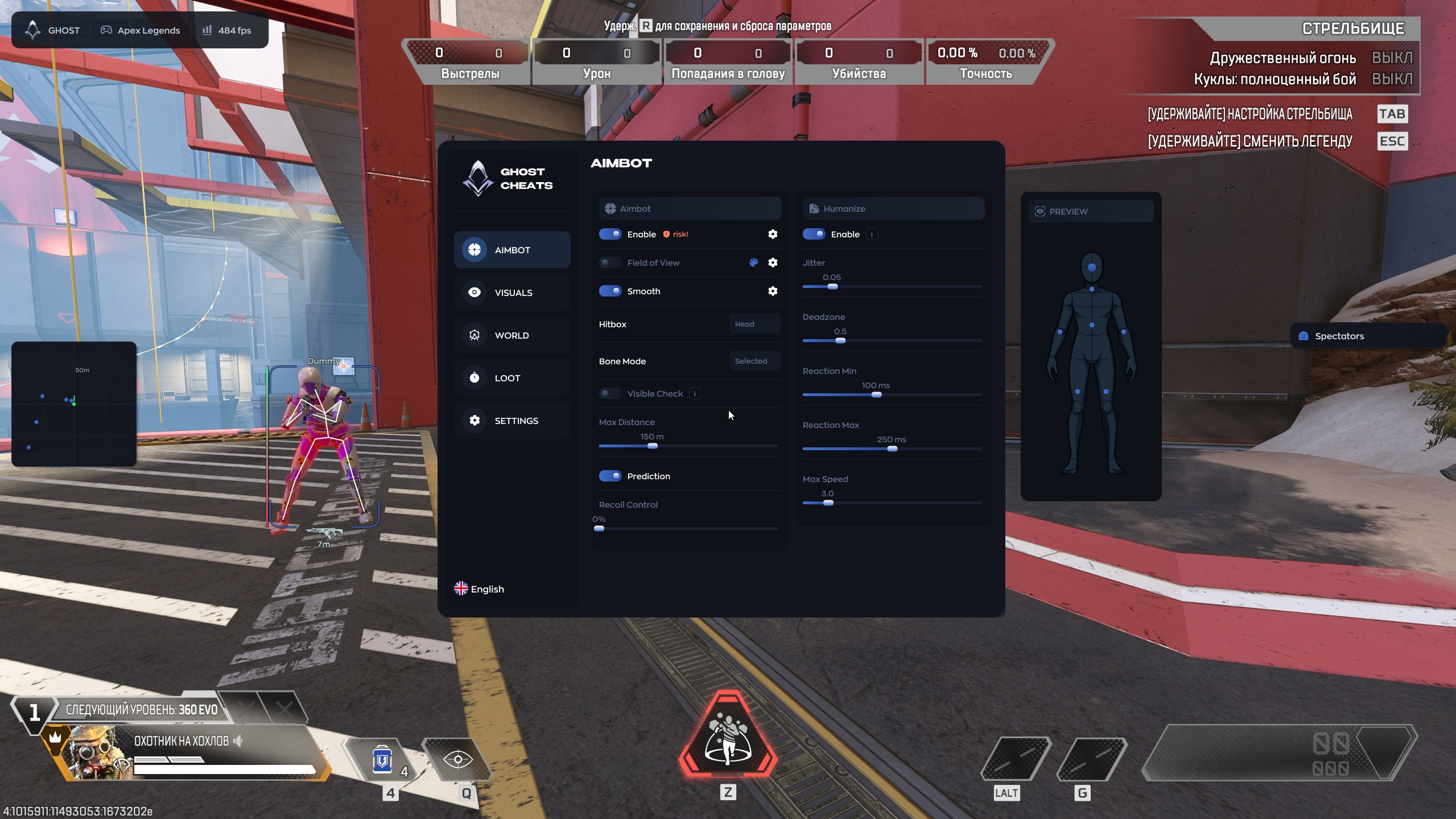
AIMBOT — Zielhilfe
- Enable — turns the aimbot on or off
- Field of View — sets the target acquisition area
- Smooth — adjusts aiming smoothness
- Hitbox — selects the body area to target
- Bone Mode — selects a specific model bone
- Visible Check — targets visible opponents only
- Max Distance — limits the operating distance
- Prediction — accounts for target movement and bullet travel
- Recoil Control — compensates for weapon recoil
- Humanize — gives crosshair movement a more natural feel
- Jitter — adds configurable micro-movements
- Deadzones — areas where the aimbot does not adjust the crosshair
- Reaction Min / Max — minimum and maximum reaction delay
- Max Speed — limits maximum aiming speed
LOOT — Beute
- Enable — turns loot display on or off
- Weapons — displays weapons
- Gear — displays armor, helmets and backpacks
- Healing — displays med kits, syringes and shield batteries
- Ammo — displays ammunition
- Attachments — displays sights, magazines and stabilizers
- Icon Size — adjusts icon size
VISUAL — Spieleranzeige
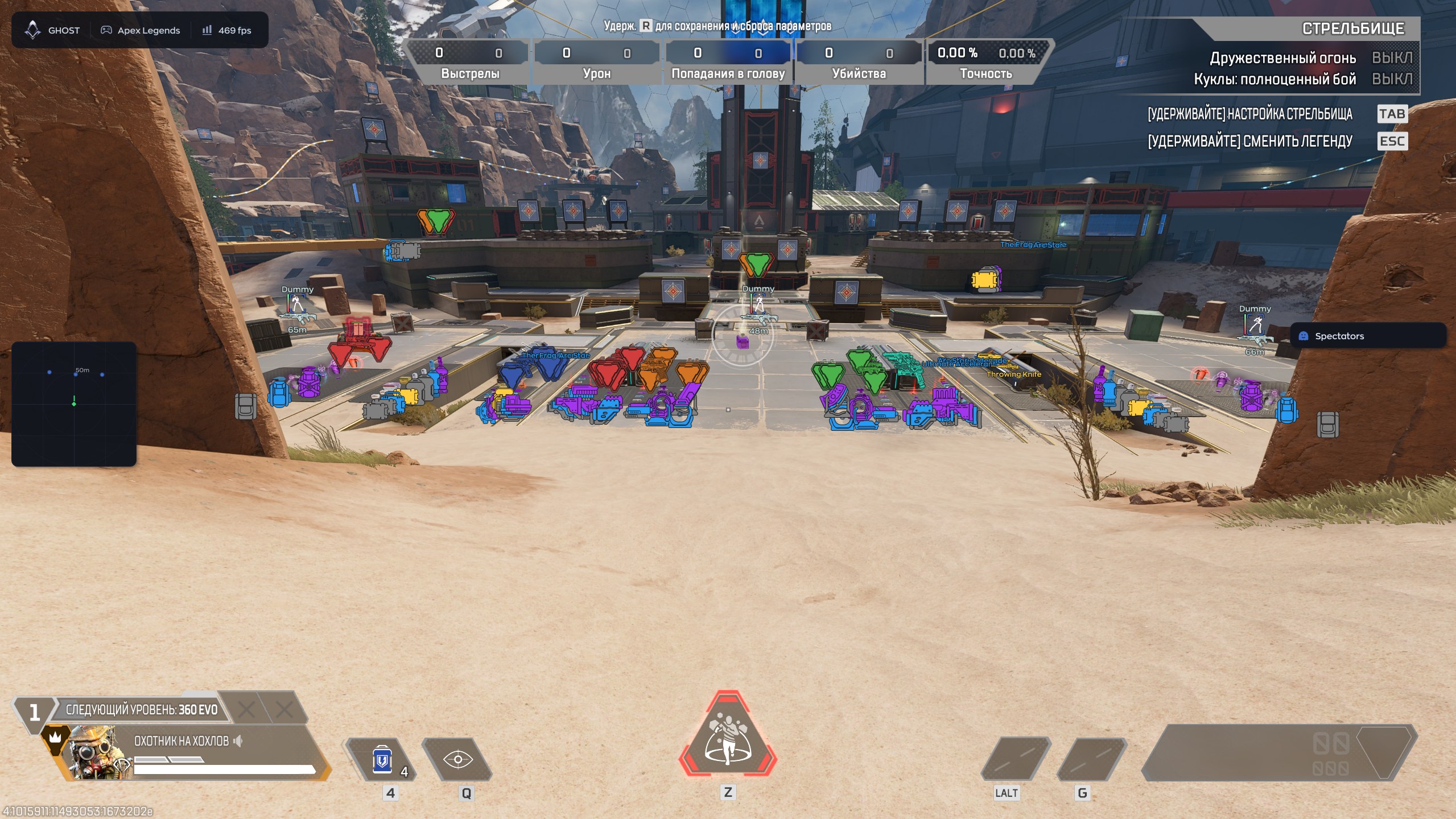
- Box — draws a box around a player
- Legend Name — displays the opponent’s legend
- Player Name — displays the player’s nickname
- Skeleton — draws the model skeleton
- Distance — displays the distance to the target
- Snapline — draws a line from the player to the target
- Weapon — displays the opponent’s weapon
- Offscreen Arrows — points to enemies outside the visible area
- Health — displays player health
- Glow — highlights the player model
WORLD — Radar
- Enable — turns the radar on or off
- Draw Outline — adds an outline around the radar
- Draw Background — enables the radar background
- Point Style — displays targets as dots, arrows or squares
- Size — adjusts the radar window size
- Max Distance — sets the maximum target display distance
- Point Size — adjusts marker size
- Zoom — changes the scale of the displayed area
SETTINGS — Einstellungen
- Config System — manages configuration profiles
- Create / Delete / Save / Load — manages saved settings
- Menu — customizes the menu appearance
- Watermark — displays the product logo and name
- Keybind Indicator — shows active hotkeys
- Shadow Text — adds text shadows
- Hide From Capture — hides the product interface from screen capture
- Battle Mode — provides a simplified combat layout
- Crosshair — enables a custom crosshair
- Menu Key — selects the menu hotkey
- DPI Scale — adjusts the interface scale
Menü-Screenshots
Kundenbewertungen
Alle BewertungenHäufig gestellte Fragen
Ist die Verwendung von Ghost Apex sicher?
Wie installiere und starte ich Ghost Apex?
Funktioniert Ghost Apex nach einem Apex Legends-Update?
Welche Funktionen sind in Ghost Apex enthalten?
Welche Zahlungsmethoden werden akzeptiert?
Wie erreiche ich den Support?
Zahlung bestätigt, aber Produkt fehlt. Wie lange warten?
Schlüssel erhalten. Wo sind Download und Anleitung?
Nach der Zahlung erhalten Sie detaillierte Anleitungen zur Aktivierung, zum Start und zur Nutzung der Software.
Die Anleitung wird an die vor der Zahlung angegebene E-Mail-Adresse gesendet.
Dort finden Sie auch den Download-Link und die notwendigen Komponenten.
Cheat-Community
Cheat-Updates, Erkennungsstatus und Hilfe von anderen Spielern — in unserem Telegram und Discord.