Play video 1
Select an image to view it larger.
BLEAK WARDOGS
Buy BLEAK WARDOGS Cheat — Aimbot, ESP and 2D Radar
Global keys — work worldwide.
Payment with a Binance card may be available for selected products. Contact us privately before buying to check availability and agree the details.
BLEAK WARDOGS is configurable software for the Steam version of WARDOGS. It combines aim assistance, player and object visuals, weapon options, and an on-screen 2D radar.
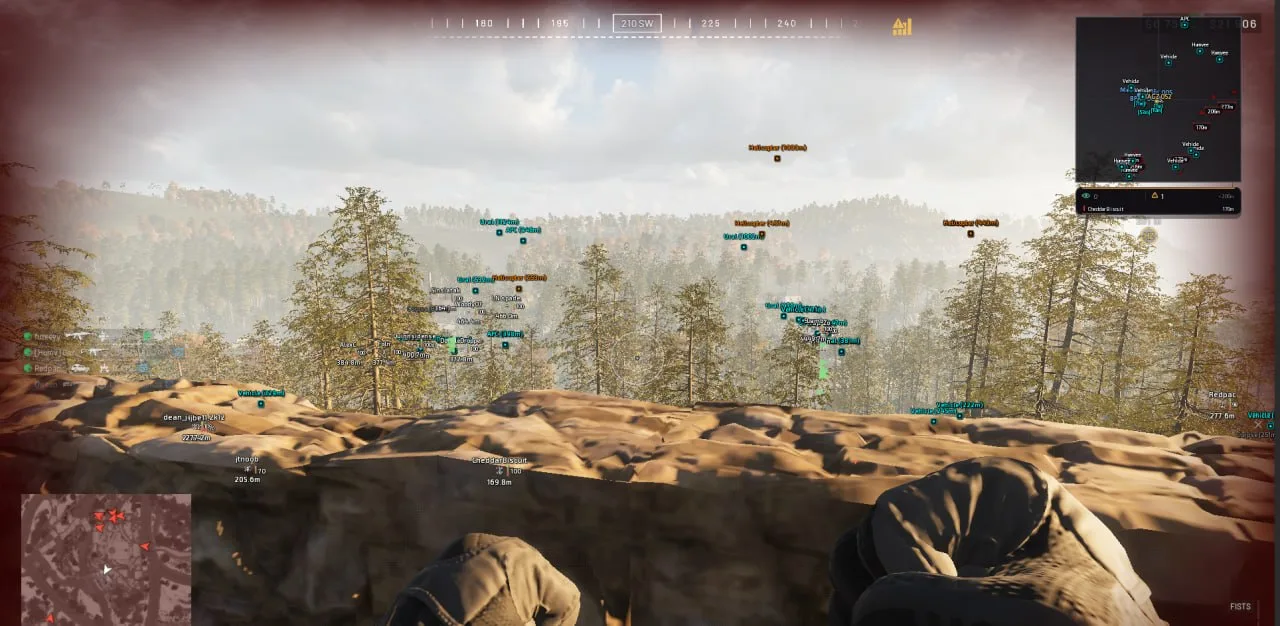
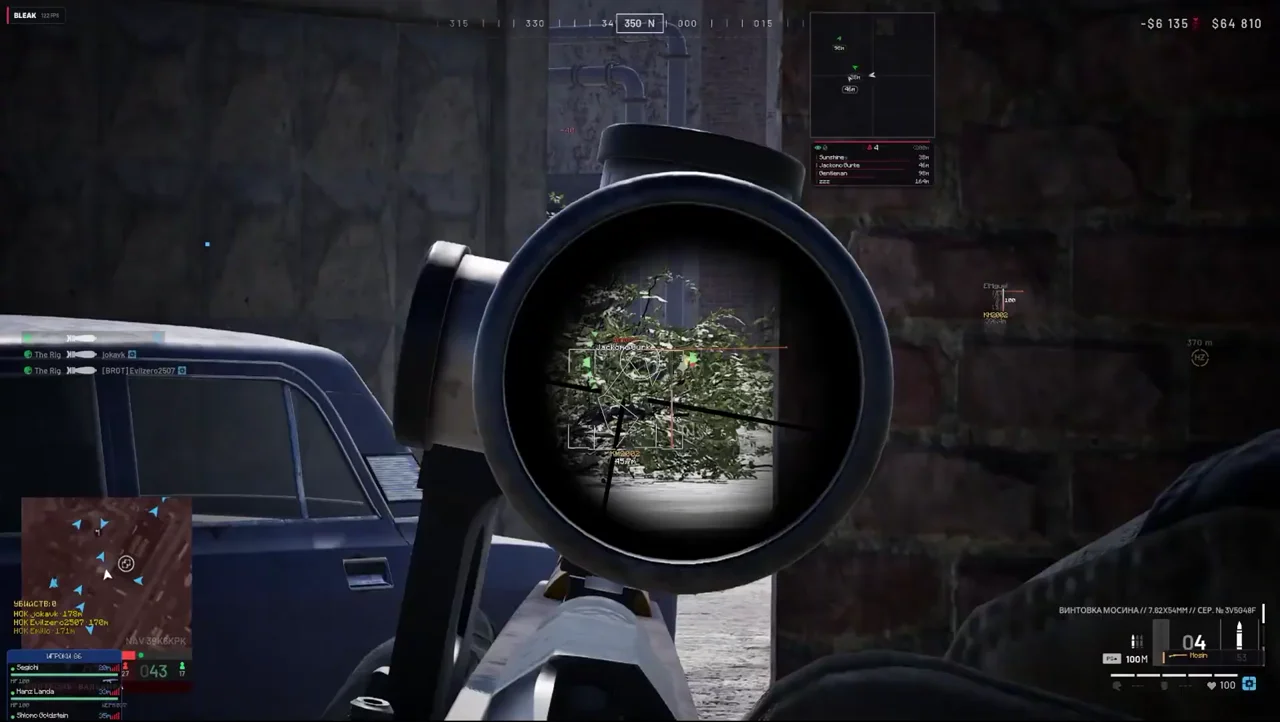
The aim module includes two activation keys, smoothing, target-bone selection, configurable FOV and bullet prediction. Player ESP supplies health, armor and warning data; World ESP covers loot and vehicle classes; memory-based No Recoil restores the original value when disabled.
Discord Game Overlay is required. The stated compatibility covers Windows 10/11 versions 2004–26H1, any BIOS and disk type, with Secure Boot enabled. Third-party software may violate game rules and lead to account restrictions; ban-free use is not guaranteed.
System Requirements
What statuses mean
🔔 Cheat statuses update automatically from our Telegram bot via developer notifications — follow the news there. Many cheats update themselves after game changes, so a “Checking” status does not mean the cheat is broken — it is just uncertainty until confirmed. Not sure? Ask in the site chat or on our Contacts page.
Features
Aim assistance
- Two activation keys and a configurable crosshair
- Smoothing, FOV radius, fill and circle or square shape
- Target-bone selection
- Bullet prediction for target velocity and bullet drop
World ESP
- Loot categories and Smart Loot Filter
- Items displayed up to 1000 metres
- Vehicle filters for helicopters, planes, tanks, APCs, cars, trucks, boats and stationary weapons
Interface and profiles
- Russian and English interface
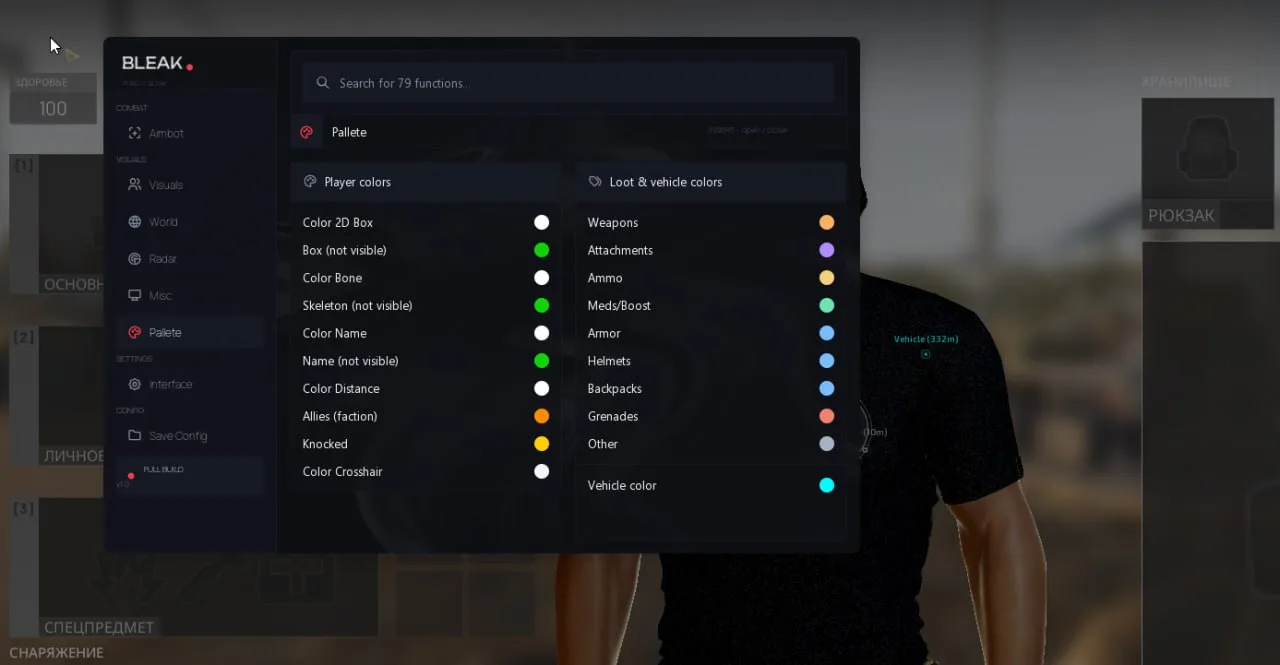
- Feature search and individual color palette
- Create, save, load and delete configuration profiles
Player ESP
- Boxes, names, skeletons and distance
- Health, armor, allies and corpses
- Spectator list and ESP preview
- Nearby-enemy, aiming-at-you and off-screen warnings
- Administrator or developer lobby warning
2D radar and weapons
- Players, items, vehicles and corpses on radar
- Zoom, size and X/Y position controls
- Memory-based No Recoil with original-value restore
Additional WARDOGS settings
- Visibility check and automatic aim calibration
- Weapon ESP and ammunition display
- Armor segments and knockdown timer
- Damage numbers, AIMING tag and line of sight
- Grenade trajectories and loot tiers
- Vehicle health, crew, artillery calculator and faction filters
- Draggable 2D radar and threat tracker
- Battle Mode: F6 by default; the key can be changed
- Player Hot Bar, weapon panel, kill feed and session kills
- Icons: F8; more than 30 configurable colors
Menu Screenshots
Customer Reviews
All reviewsFrequently Asked Questions
What features are included in BLEAK WARDOGS?
What payment methods are accepted?
How to contact support?
Payment is confirmed, but the product is missing. How long should I wait?
I have a key. Where are the download and instructions?
After payment you will receive detailed instructions on activation, launch and use of the software.
Instructions will be sent to the email address specified before payment.
You will also find a download link and necessary components for the software.
Cheat community
Cheat updates, detection status and help from other players — in our Telegram and Discord.