Play video 1

Select an image to view it larger.
Ghost DF Full for Delta Force
Ghost Full — private cheat for Delta Force: aimbot, ESP & radar (Steam)
Global keys — work worldwide.
Payment with a Binance card may be available for selected products. Contact us privately before buying to check availability and agree the details.
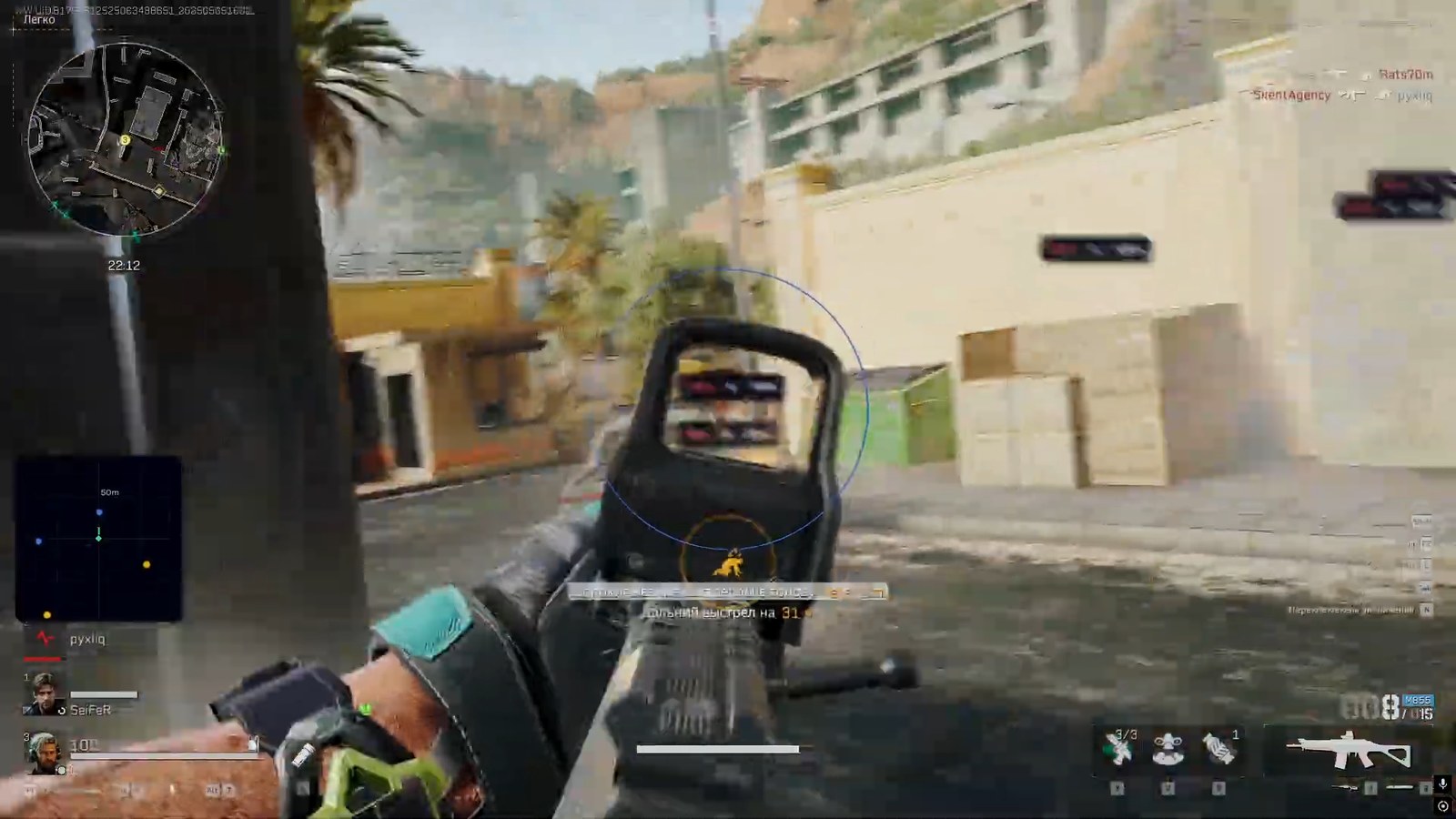
Ghost Full is the complete version of the Ghost private software for Delta Force: aimbot, ESP, world highlighting and radar in one package. A whole new level of capability for those used to staying one step ahead.
The aimbot runs in Memory and Silent modes: you can tune the FOV capture angle, aiming smoothness, hitbox and the exact bone of the model, and the working range. The Humanize system makes aiming indistinguishable from a real player's hand: Jitter micro-movements, a Deadzone, randomized reaction delay and a cap on aiming speed.
The ESP shows players and bots through walls: boxes, skeletons, nicknames, health, distance, view direction and squad members. The WORLD section highlights corpses, containers and safes — with filters for empty and already-opened ones — plus loot by value tier from Common to Legendary, with armor level and item count. The mini-radar with adjustable size, zoom and point style keeps the whole area under control.
Configs are created, saved and loaded in a couple of clicks; there is a battle mode, a keybind list, a custom menu key and DPI scaling, and the interface is translated into multiple languages. The Steam client is supported, on all versions of Windows 10 and 11.
System Requirements
What statuses mean
🔔 Cheat statuses update automatically from our Telegram bot via developer notifications — follow the news there. Many cheats update themselves after game changes, so a “Checking” status does not mean the cheat is broken — it is just uncertainty until confirmed. Not sure? Ask in the site chat or on our Contacts page.
Features
AIMBOT — Aimbot
- Aimbot working mode: Memory or Silent (Type)
- Target capture angle adjustment (FOV)
- Aiming smoothness (Smooth)
- Body part selection for aiming (Hitbox)
- Exact bone selection on the character model (Bone Mode)
- Aimbot working range adjustment (Max Distance)
VISUALS — Player & bot ESP
- ESP toggle for players and bots separately (Enable)
- Box around the model (Box)
- Character bone lines (Skeleton)
- Nickname or target type (Name)
- Squad member highlighting (Party)
- Distance to the target (Distance)
- Player view direction line (Look Direction)
- Health display (Health)
RADAR — Radar
- Mini-radar overlay (Enable)
- Radar window size adjustment (Size)
- Detection range (Max Distance)
- Zoom in and out (Zoom)
- Marker size (Point Size)
- Point style: circle / square / triangle (Point Style)
AIMBOT — Humanize
- Enables the aimbot “humanization” system (Enable)
- Small micro-movements while aiming so it never looks perfect (Jitter)
- A zone where the aimbot won’t move the crosshair until the target leaves it (Deadzone)
- Minimum reaction delay before aiming (Reaction Min)
- Maximum reaction delay (Reaction Max)
- Maximum aiming speed cap (Max Speed)
WORLD — Corpses, containers, loot
- Corpse display (Corpse)
- Bot corpses shown separately (Bot Corpses)
- Container display (Container)
- Safe highlighting (Safe)
- Hide empty containers (Hide Empty)
- Hide already-opened containers (Hide Opened)
- Ground item display (Loot)
- Loot value tiers: Common / Rare / Epic / Legendary (Rarity)
- Short name format (Short Name)
- Armor level display (Armor Level)
- Item count (Count)
SETTINGS — Configs & interface
- Create, delete, save and load configs (Config System)
- Text shadow for readability (Shadow Text)
- Watermark with the cheat logo (Watermark)
- Hotkey list (Keybind List)
- Quick combat profile (Battle Mode)
- Menu open key binding (Menu Key)
- Interface scale (DPI Scale)
- Menu language selection, including Russian (Language)
What's new in this cheat
4
New features, meaningful improvements and important fixes for this product.
Weapon and ammunition displays with new filters added
Archived announcement. The date records the changes; the exact build date is unknown.
- Added weapon display in ESP (M870, UZI, Витязь, etc.)
- Added display of ammunition in the magazine [5/8]
- Added the Ammo checkbox (turn ammunition on/off separately from weapons)
- Added the Ignore Knocked filter (aimbot skips knocked players)
- Added a filter for evacuated players (ESP does not draw players who left the raid)
SilentAimbot and Skeleton fixes
Archived announcement. The date records the changes; the exact build date is unknown.
- SilentAimbot was fixed
- The bug with the Skeleton function was fixed
New functions added to Ghost DF Full
Archived announcement. The date records the changes; the exact build date is unknown.
- Instant ADS was added
- No Recoil (0-100%) was added
- Bot class display in ESP was added
- Global Override (shared distance/font) was added
- A MISC tab was added
Fixed player display on the AZ3 map
Archived announcement. The date records the changes; the exact build date is unknown.
- Fixed an issue with displaying players on the AZ3 map
Customer Reviews
All reviewsFrequently Asked Questions
What features are included in Ghost DF Full?
What payment methods are accepted?
How to contact support?
Payment is confirmed, but the product is missing. How long should I wait?
I have a key. Where are the download and instructions?
After payment you will receive detailed instructions on activation, launch and use of the software.
Instructions will be sent to the email address specified before payment.
You will also find a download link and necessary components for the software.
Cheat community
Cheat updates, detection status and help from other players — in our Telegram and Discord.