Ghost WARDOGS ESP
Ghost WARDOGS ESP — player, loot and vehicle ESP with radar
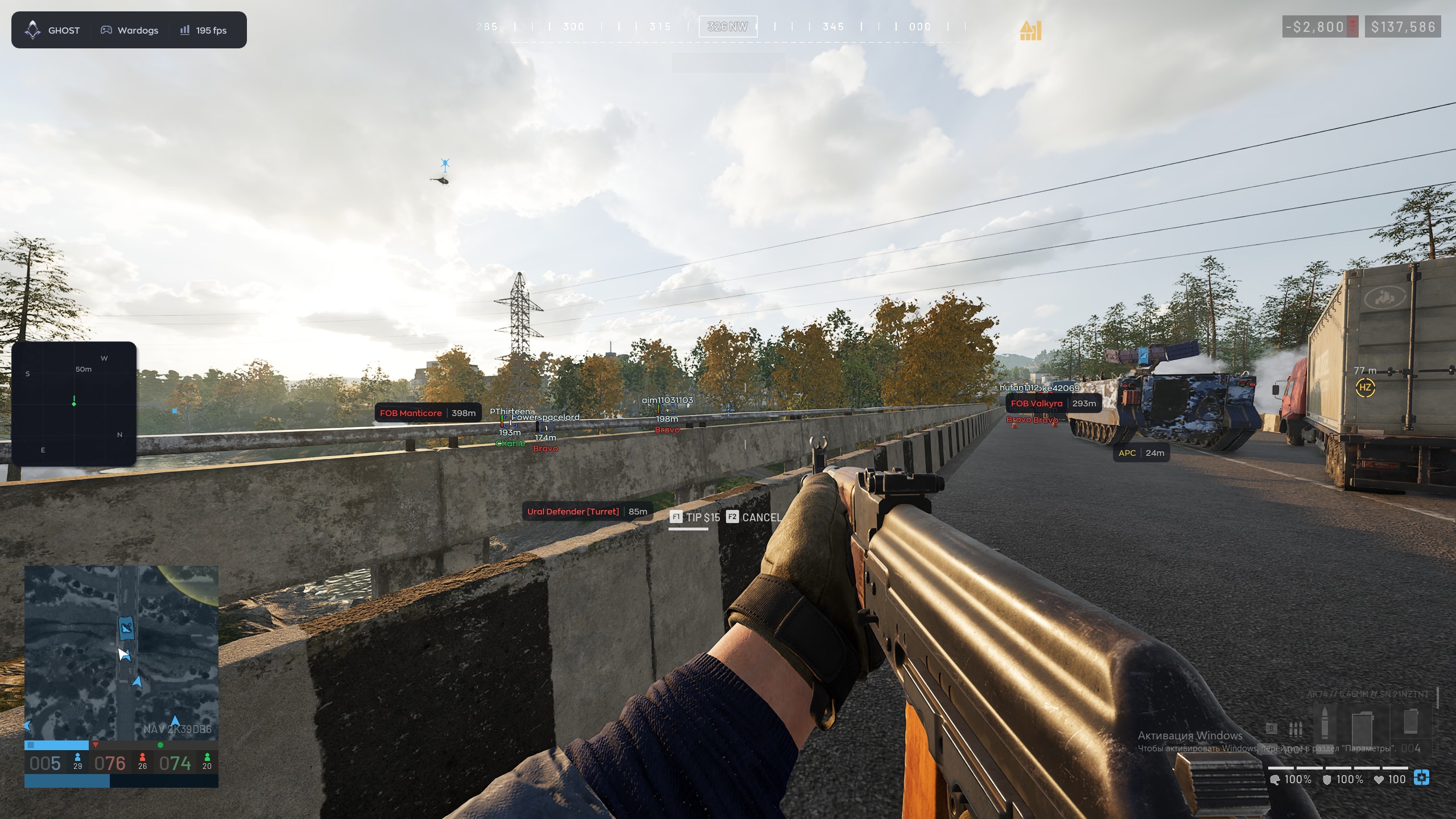
Ghost WARDOGS ESP displays players, loot, vehicles and world objects. Visibility checks, health, state and ADS indicators help you read the scene, while a separate radar and compass complement the ESP. Choose the elements you need, adjust their display and save your configurations.
System Requirements
🔔 Cheat statuses update automatically from our Telegram bot via developer notifications — follow the news there. Many cheats update themselves after game changes, so a “Checking” status does not mean the cheat is broken — it is just uncertainty until confirmed. Not sure? Ask in the site chat or on our Contacts page.
Global keys — work worldwide.
Payment with a Binance card may be available for selected products. Contact us privately before buying to check availability and agree the details.
Features
Player ESP
- Enable ESP
- Different colors for visible and occluded players (Visible Check)
- Player box (Box)
- Player skeleton (Skeleton)
- Player nickname (Name)
- Player distance (Distance)
- Current weapon (Weapon)
- Ally or enemy affiliation (Faction)
Loot
- Dropped items with name and distance (Loot ESP)
- Weapons
- Ammo and magazines
- Medical items (Meds)
- Armor
- Attachments
- Other items
Vehicles
- Vehicles with name and distance (Vehicle ESP)
- Hide allied vehicles (Hide Ally)
- ATVs
- SUVs
- Pickups
- Trucks
- Helicopters
- Attack helicopters
- Tanks
Interface
- Watermark
- Hotkey panel (Keybind Indicator)
- Menu and ESP text shadow (Shadow Text)
- Battle Mode
- Custom crosshair (Crosshair)
- Menu toggle key (Menu Key)
- Interface scaling (DPI Scale)
- Hide From Capture
Player indicators
- Line from the screen center to a player (Snapline)
- Directions to offscreen enemies (Offscreen Arrows)
- Player health (Health)
- Player state: standing, prone or aiming (State)
- Aiming indicator (ADS)
- Select the snapline endpoint (Snapline Target)
- Hide downed players (Skip Downed)
Radar
- Enable mini-radar
- Radar outline (Draw Outline)
- Radar background (Draw Background)
- Marker shape: circle or square (Point Style)
- Radar size (Size)
- Maximum distance (Max Distance)
- Marker size (Point Size)
- Radar zoom (Zoom)
- Compass bar (Compass Bar)
World objects
- Dead player bodies (Corpse ESP)
- Bases (FOB)
- Buildable objects
- Artillery
- Armored personnel carriers (APC)
- Turrets
Configs
- Create a config
- Save a config
- Load a config
- Delete a config
- Export a config
- Import a config
What's new in this cheat
Recent software updates — from the freshest to older ones.
-
New product: Ghost WARDOGS ESP
Player, loot and vehicle ESP, a separate radar, compass and configs. Steam, Windows 10/11.
Customer Reviews
All reviewsFrequently Asked Questions
What features are included in Ghost WARDOGS ESP?
What payment methods are accepted?
How to contact support?
After payment you will receive detailed instructions on activation, launch and use of the software.
Instructions will be sent to the email address specified before payment.
You will also find a download link and necessary components for the software.
Cheat community
Cheat updates, detection status and help from other players — in our Telegram and Discord.