Ancient Web Radar for Arena Breakout Infinite
Ancient Web Radar for Arena Breakout: Infinite
Sales temporarily paused
from 4$
Buy on Ancient Purchase is processed on partner site ancientick.com
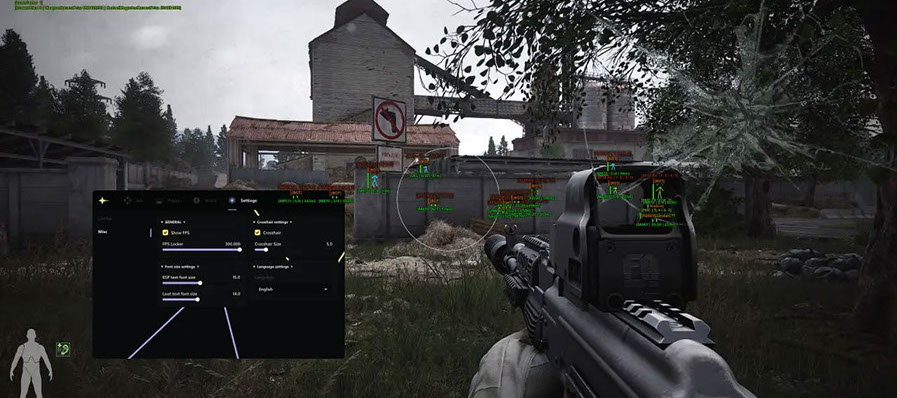
Web Radar by Ancient for Arena Breakout: Infinite — radar for enemies and radar for loot. Purchase and support are handled on the partner website ancientick.com.
Latest game patch: Sep 2, 2026
ABI Radar
Working Buy on Ancient
Purchase is processed on partner site ancientick.com
Features
Radar
- Enemy radar
- Loot radar
What does it mean?
Frequently Asked Questions
What features are included in Ancient Web Radar?
The feature set of Ancient Web Radar depends on the selected plan. Typically available: Aimbot, ESP/Wallhack, Radar, and more. The full feature list is shown in the product description above.
What payment methods are accepted?
Available payment methods are shown by the payment provider at checkout. The options depend on the product and region; confirm the details with support before paying.
How to contact support?
Message the admin on Telegram (@undetect), in the Telegram chat, on Discord, or via email at ivsofte@gmail.com. Working hours: 10:00 – 00:00 (UTC+3).
After payment you will receive detailed instructions on activation, launch and use of the software.
Instructions will be sent to the email address specified before payment.
You will also find a download link and necessary components for the software.