Phoenix (Satano) for DayZ
Wh-Satano DayZ — Private DayZ Cheat with ESP, Aimbot and Weather Manager
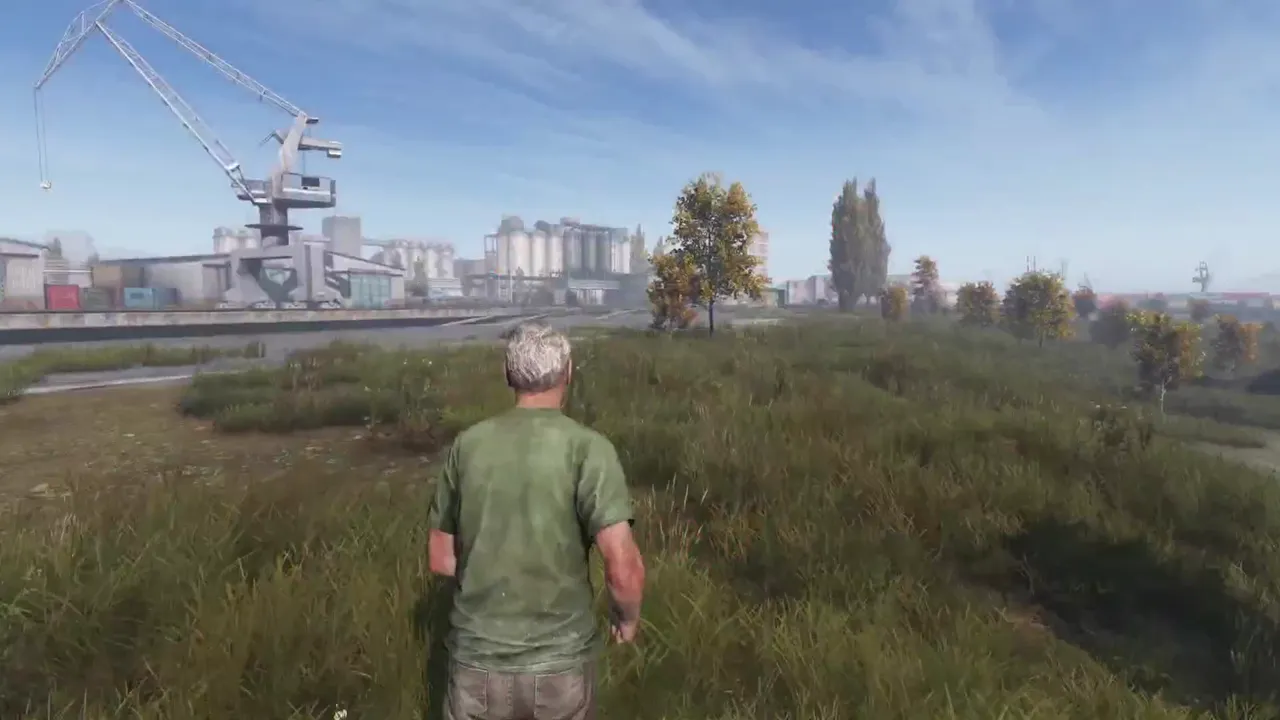
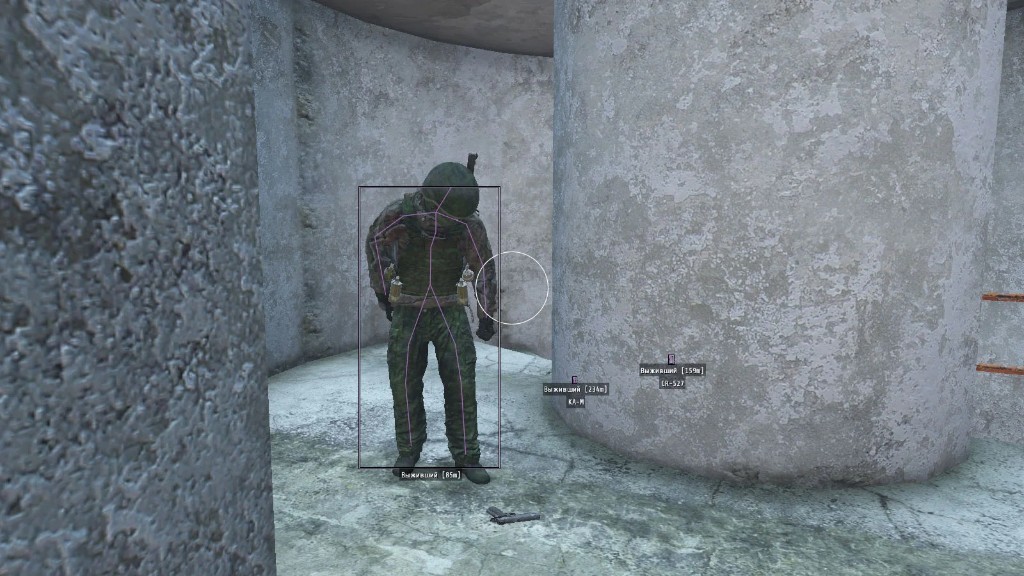
Wh-Satano DayZ Hack — a private cheat of our own production for DayZ at an attractive price. It includes a full basic feature set and more: a convenient ESP with flexible settings (players, zombies, animals, loot, vehicles, cities, etc.), an accurate aimbot with multiple modes, a unique weather manager, city display for Chernarus and Livonia, and a convenient interactive map showing your current position.
Key features: stylish Wallhack with flexible settings, built-in HWID spoofer, free camera mode (Debug Camera), NoClip that can be used as a speedhack, Combat Mode for automatically disabling unnecessary ESP during combat. Our software surpasses many more expensive alternatives and will be an excellent choice for you.
System Requirements
🔔 Cheat statuses update automatically from our Telegram bot via developer notifications — follow the news there. Many cheats update themselves after game changes, so a “Checking” status does not mean the cheat is broken — it is just uncertainty until confirmed. Not sure? Ask in the site chat or on our Contacts page.
Global keys — work worldwide.
Payment with a Binance card may be available for selected products. Contact us privately before buying to check availability and agree the details.
Features
Players ESP
- Player ESP — enable/disable ESP against players
- Local — display your own box
- Boxes (2D, Corners) — enemy boxes (2D, corners only)
- Filled — box background fill
- Skeleton — skeleton rendering
- Distance — distance to targets in meters
- Corpses — show dead enemies (corpses)
- Name ESP — other players' nicknames
- Render Distance — ESP working distance (up to 1000m)
- Item In Hand — item/weapon in player's hands
- Contains — player inventory contents
Loot ESP (Items)
- Items ESP — display items around you
- Item Filter — filter displayed loot
- Loot Quality — quality of shown items
- Weapons, Melee, Attachments, Ammo
- Clothes, Backpacks, Food, Drinks
- Medical, Vehicle Parts, Building, Others
World ESP (Map Objects)
- Zombie ESP — show zombies and their information
- Vehicles — vehicle locations and loot inside
- Animals — animal information
- Cities Chernarus — cities on Chernarus map
- Cities Livonia — cities on Livonia map
- Name — displayed object names
- Distance — distance to objects
- Render Distance — limit World ESP range
Aimbot (Silent Aim)
- Silent Aim — hit enemies without aiming
- Max Distance — maximum aimbot working distance
- Zombies / Players / Animals — target selection
- FOV — aimbot working area
- Bone — body part selection for aiming
- Draw FOV — draw circle around crosshair
- Target Color — highlight available targets
- Mode (Always, On Key) — always active or on key press
Misc (Additional Features)
- Time — change time of day
- No Grass — disable grass
- Colors — color settings for all features
- Language — Russian and English support
- Interactive Map — interactive map with your location
- Crosshair — static crosshair in the center of the screen
- Debug Camera — free camera mode, fly through walls
- No Clip — free movement, flying, passing through walls
- NoClip Speed — increase NoClip speed (speedhack)
- Combat Mode — combat mode, disables unnecessary ESP except players
- Weather Changer — weather and time control
- FOV Changer — increase camera field of view
- HWID Spoofer — built-in spoofer to bypass hardware bans
Customer Reviews
All reviewsFrequently Asked Questions
What features are included in Phoenix (Satano)?
What payment methods are accepted?
How to contact support?
After payment you will receive detailed instructions on activation, launch and use of the software.
Instructions will be sent to the email address specified before payment.
You will also find a download link and necessary components for the software.
Cheat community
Cheat updates, detection status and help from other players — in our Telegram and Discord.