CMD Macro for PUBG
CMD Macro PUBG — recoil macro via CMD, no game file edits
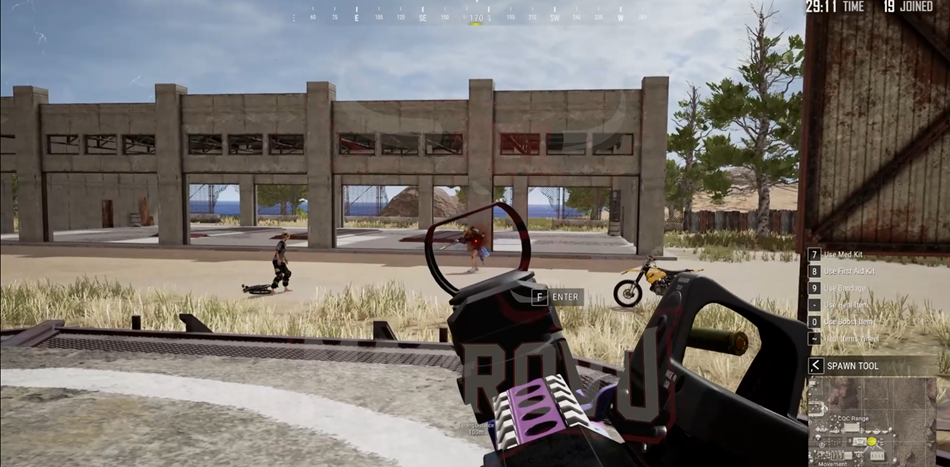
CMD Macro — a private PUBG recoil helper with adjustable reduction from 0 to 100%, simple activation via PowerShell/CMD, and no modification of game files. Works with all weapons and attachments, Intel and AMD, Windows 10 and all Windows 11 builds. After activation you play without a heavy in-menu workflow. Updated every Wednesday.
Need full features? The same developer ships an extended build — CMD Full PUBG with ESP (skeleton, HP), aimbot with body-part switching and F1–F7 hotkeys. This macro is the budget option, CMD Full is the all-in-one.
Download (latest build): https://at.gxyibai.cn/
Before use: turn off antivirus and firewall (or add exclusions), enable full VT-x in BIOS. Copy the PowerShell command from the dashboard, paste it into the File Explorer address bar (This PC) and press Enter; wait until the subscription expiry time is shown.
Full step-by-step guide (VT-x check and videos).
Want a wallhack on top? YQ CMD PUBG — toggleable wallhack plus the same 0–100% recoil compensation as CMD Macro.
System Requirements
🔔 Cheat statuses update automatically from our Telegram bot via developer notifications — follow the news there. Many cheats update themselves after game changes, so a “Checking” status does not mean the cheat is broken — it is just uncertainty until confirmed. Not sure? Ask in the site chat or on our Contacts page.
Global keys — work worldwide.
Payment with a Binance card may be available for selected products. Contact us privately before buying to check availability and agree the details.
Features
Recoil & ease of use
- Adjustable recoil reduction from 0–100%, fully customizable
- Very easy to activate and use
- After launch — play as usual, no complicated menu in combat
Updates
- Regular updates — every Wednesday
Technology
- CMD/PowerShell-based — no game file changes
- All guns and attachments supported
- Compatible with Intel and AMD
- Windows 10 and all Windows 11 versions (x64)
What's new in this cheat
Recent software updates — from the freshest to older ones.
-
CMD Macro PUBG — tariff update
CMD Macro PUBG third plan changed from Lifetime to 6 months. Payment switched from Telegram to Digiseller.
-
New product: CMD Macro PUBG
Added CMD Macro for PUBG recoil compensation (0–100%). Works via CMD without modifying game files.
Customer Reviews
All reviewsFrequently Asked Questions
What features are included in CMD Macro?
What payment methods are accepted?
How to contact support?
After payment you will receive detailed instructions on activation, launch and use of the software.
Instructions will be sent to the email address specified before payment.
You will also find a download link and necessary components for the software.
Cheat community
Cheats for PUBG and PUBG Mobile: updates, detection status and a players' chat.