Covcheg の Apex Legends
Apex Legends のプライベート チート Covcheg を購入する
開発者: Covcheg
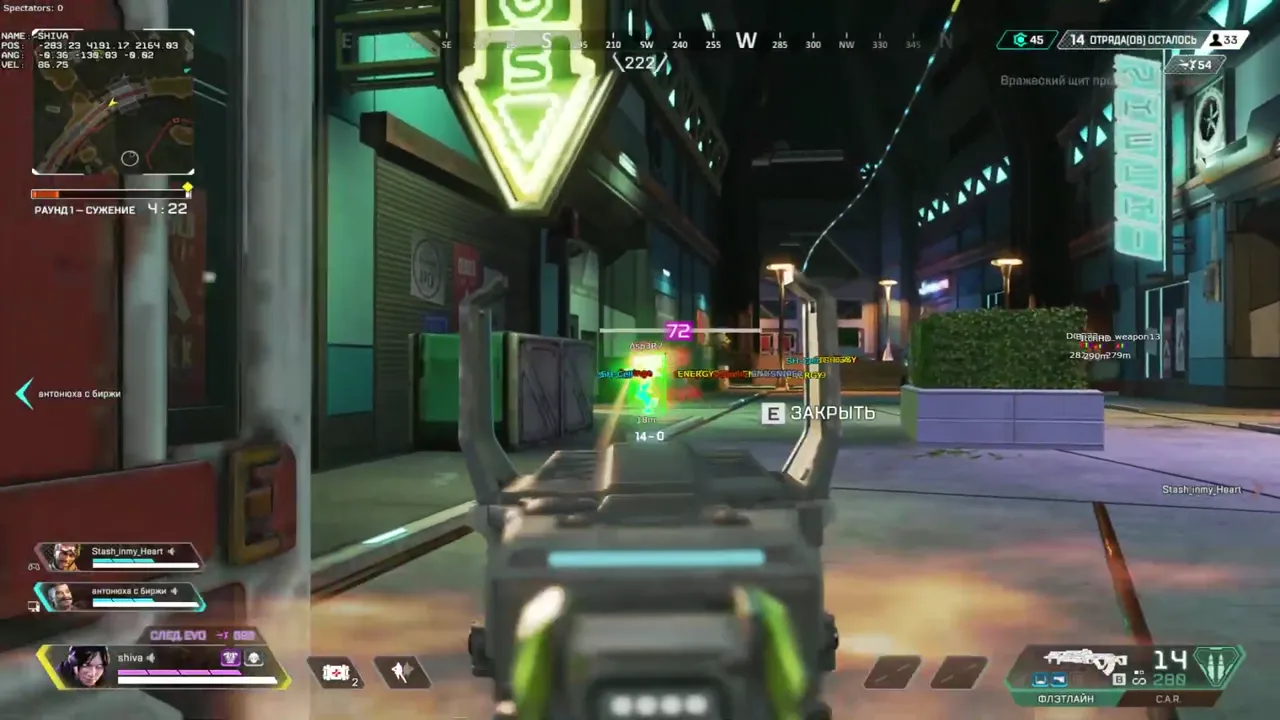
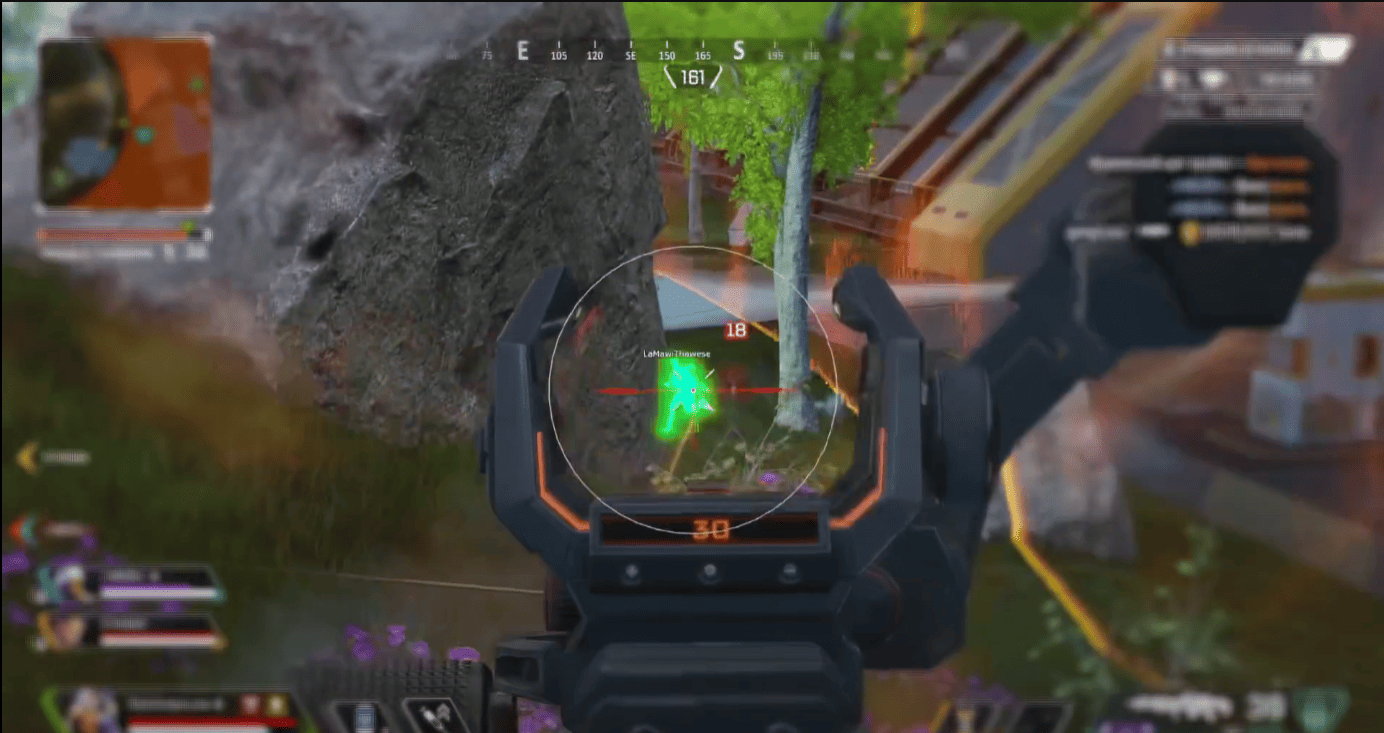
私たちのウェブサイトでは、Apex Legends 用の高品質のプライベート チート Covcheg を購入できます。 効果的なアンチチートバイパスを備えた最新のソフトウェアは、あなたとあなたのチームがトップの座を確実に獲得します。 シンプルな起動とインストール。 当社のテクニカル サポート チームがいつでもサポートし、質問に答えます。
システム要件
プロセッサ
Intel and AMD
配信/スクリーンショットで非表示
いいえ
内蔵スプーファー
いいえ
Anti Cheat
EAC
Game Modes
Windowed, Fullscreen, Fullscreen Windowed
Operating System
Windows 10 PRO [2004-22H2], Windows 11 all
ゲームの最新パッチ: 2026年8月26日
確認中 詳細ステータス
🔔 チートの状態は開発者の通知に基づき当社のTelegramボットから自動更新されます — そちらで最新情報をフォローしてください。多くのチートはゲームの変更後に自動更新されるため、「確認中」の状態はチートが動作しないという意味ではなく、確認までの不確実性にすぎません。不安ですか?サイトのチャットで質問するかお問い合わせをご確認ください。
機能
目的
- 有効にする - 機能のオン/オフを切り替えます
- 揺れと反動を削除 - 武器の揺れと反動を削除します。
- Aim Binder - キーをバインドして AIM のオン/オフを切り替えます
- 弾予知 - 敵方向に向かって射撃する
- 最も近いボーン - AIM ターゲティングの優先ボディ パーツを設定します。
- ノックを無視 - AIM はノックされたプレイヤーをターゲットにしません
- FOV - AIM 操作の半径を設定します
- スムーズ - 照準の滑らかさを設定します
- 距離 - AIM操作の距離を設定します。
超能力の戦利品
- 武器を描く - 地面に武器を表示します
- 弾薬を引く - 弾薬を地面に表示します
- バックパック - 地面に置かれたバックパック
- アーマー - 地上のシールドセル
- レア度レベルフィルター - アイテムのレア度フィルター
- ショットガン
- ドロップガン
- エネルギー
- 重い
- ライト
- スナイパー
- ヘルメット
- その他のアイテム
超能力者
- 有効にする - ESP のオン/オフを切り替えます
- ボックス - ボックスで囲まれたプレーヤー
- 名前 - プレイヤーのニックネームを表示します
- 距離 - 敵までの距離を表示します
- NPC を描画 - NPC を表示
- FOV - 視野の編集
- 十字線 - 画面上に十字線を描画します
- 体力バー - 敵の体力バー
- シールドバー - 敵のシールドバー
- 可視チェック - 敵が可視の場合のみ ESP
- Glow ESP - 敵の色の輪郭
その他
- Thirdパーソンを有効にする - 三人称ビュー
このチートの新機能
1
このソフトの新機能、主な改善点、重要な不具合修正。
レジェンドアイコン表示を追加
過去の更新告知です。日付は変更の記録日で、正確なビルド日は不明です。
- レジェンドアイコンの表示が追加されました。
これはどういう意味?
カスタマーレビュー
すべてのレビューよくある質問
Covchegにはどんな機能が含まれていますか?
Covchegの機能セットは選択プランによって異なります。通常、Aimbot、ESP/Wallhack、Radarなどが利用可能です。機能の完全なリストは上記の商品説明をご覧ください。
どの支払い方法が利用できますか?
利用可能なお支払い方法は、決済時に決済事業者が表示します。商品や地域によって異なるため、支払い前にサポートへ詳細を確認してください。
サポートにはどう連絡しますか?
個別連絡で注文番号、商品とエディション、決済先、現在の段階、エラー、試した手順を伝えてください。すでに情報がある場合は元の会話を続けてください。キー、パスワード、ログインコード、決済情報、非公開リンクを隠し、注文番号は公開チャットに投稿しないでください。 サポートに連絡.
支払いは確認済みですが商品がありません。どのくらい待ちますか?
元の注文ページを開いてください。配信方法と期限は商品と購入条件で異なります。自動配信と手動処理は別の流れです。指定期限を過ぎた場合や、支払い確認後も商品がない場合は、販売者に注文番号を個別に送ってください。 お支払い後のヘルプ.
キーはあります。ダウンロードと手順書はどこですか?
購入した商品とエディションに対応する手順書を使ってください。商品ページや注文の配信内容にリンクがあります。キーはアクセス情報であり、共通ダウンロードリンクではありません。その手順書か注文からダウンロードしてください。リンクがなければ他商品の手順を流用せずサポートへ確認してください。 お支払い後のヘルプ.
お支払い後、ソフトウェアのアクティベーション、起動、使用方法の詳細な説明をお届けします。
説明はお支払い前に指定されたメールアドレスに送信されます。
ダウンロードリンクと必要なコンポーネントもそちらでご確認いただけます。
チートコミュニティ
チートのアップデート、検出ステータス、他プレイヤーからのサポート — TelegramとDiscordで。