Mason Internal für Rust
Mason RUST Internal – Private Cheat für Rust kaufen
Verkauf vorübergehend pausiert
- Sofortige Lieferung
- Sichere Zahlung
- Support rund um die Uhr
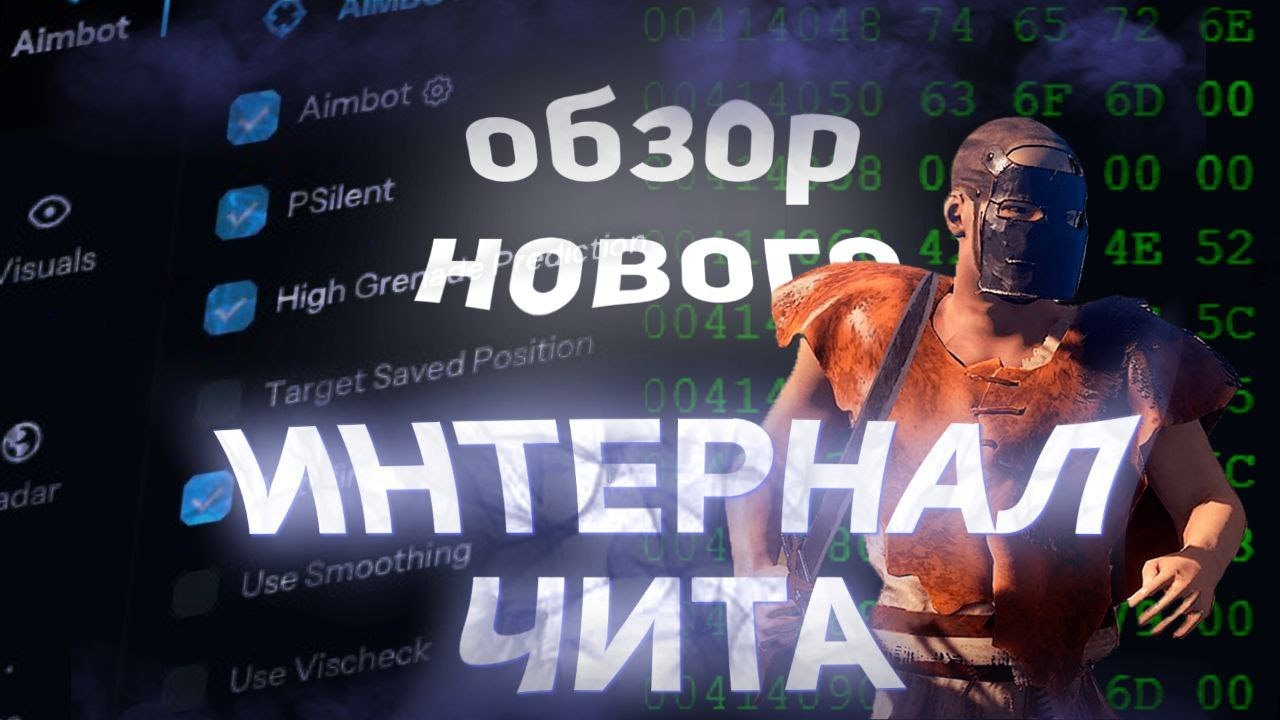
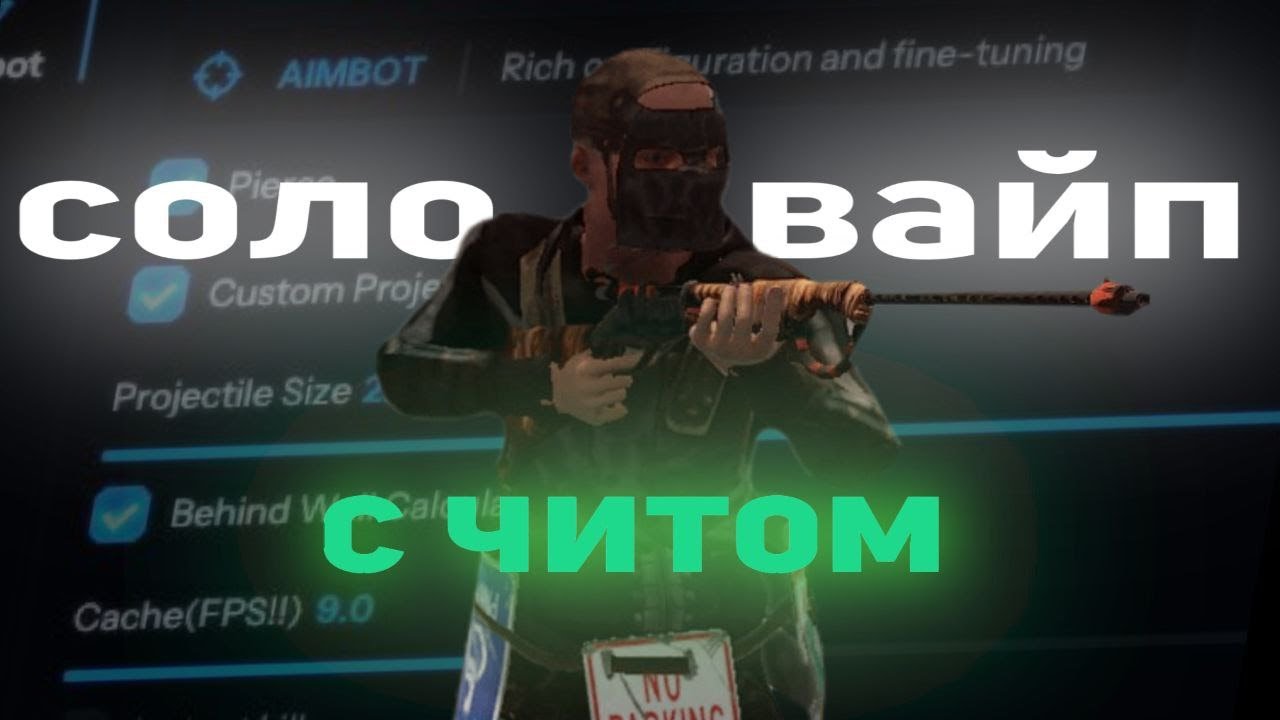
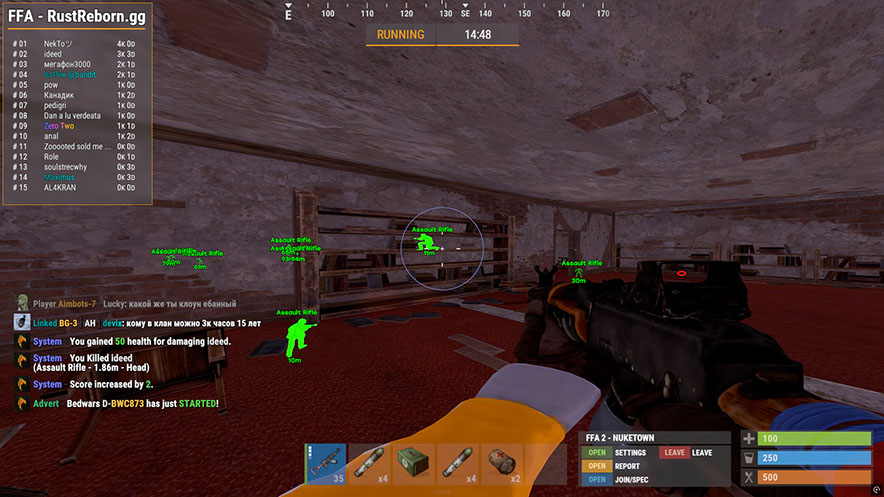
Mason RUST Internal ist ein privater interner Cheat für Rust mit einem umfangreichen Toolkit: fortschrittlicher Aimbot mit PSilent und Granatenvorhersage, vollständiger visueller Suite (Player ESP, World ESP, Loot ESP, In-Game-Radar), Rückstoßkontrolle und Schießmodifikationen sowie einem Automatisierungsmodul – von Auto-Fishing und Auto-Loot bis hin zu Gebäude-Upgrades und Code-Sperre-Brute-Forcing.
Die Software enthält ein integriertes Anti-Violations-System, das vor der Easy Anti-Cheat-Erkennung schützt. Zum Starten ist ein USB-Stick erforderlich. Intel- und AMD-Prozessoren werden unter Windows 10/11 x64 unterstützt.
Verteilt mit einer begrenzten Anzahl von Benutzern, um Risiken zu minimieren. Jede Funktion ist vollständig anpassbar – Rage-, Legit- und SemiRage-Profile sind mit Konfigurationsspeicherung verfügbar. Regelmäßige Updates sorgen für einen stabilen Betrieb nach Spielpatches.
Systemanforderungen
🔔 Cheat-Status wird automatisch aus unserem Telegram-Bot nach Entwickler-Benachrichtigungen aktualisiert — folge den News dort. Viele Cheats aktualisieren sich nach Spieländerungen selbst, daher bedeutet der Status „Wird geprüft“ nicht, dass der Cheat defekt ist — es ist nur Ungewissheit bis zur Bestätigung. Nicht sicher? Frag im Website-Chat oder unter Kontakte.
Globale Schlüssel — funktionieren weltweit.
Wenn Ihre Bankkarte nicht funktioniert, können Sie mit einer Binance Gift Card (USDT) bezahlen.
Diese Methode hat einen festen Aufschlag von +10%. Gutscheincodes und Rabatte können nicht angewendet werden.
- Kontaktieren Sie uns, um zu bestätigen, dass diese Zahlungsmethode für das gewünschte Produkt verfügbar ist
- Kaufen Sie eine Binance Gift Card (USDT) für den benötigten Betrag auf einem Marktplatz Ihres Landes (Paxful, Binance oder lokale Anbieter) — mit einer Ihnen bequemen Zahlungsmethode
- Senden Sie uns den Geschenkkartencode — wir aktivieren Ihren Kauf und liefern das Produkt
USDT (TRC-20) ist auch als Zahlungsoption beim Checkout verfügbar — ohne zusätzliche Gebühr.
Funktionen
Aimbot
- Aimbot – rastet auf Ihrem Ziel ein (benutzerdefinierter Hotkey)
- PSilent – lenkt Projektile in Richtung des Ziels (benutzerdefinierter Hotkey)
- Hohe Granatenvorhersage – erzwingt die Vorhersage, einen gültigen Trefferpunkt aus einem höheren Winkel zu finden
- Gespeicherte Position als Ziel: Zielt auf Ihre aktuell gespeicherte Position auf der Karte
- Glättung verwenden – humanisiert den Aimbot für natürliches Verhalten
- Verwenden Sie Vischeck – zielt nur auf sichtbare Spieler ab
- AutoFire – schießt automatisch, wenn das Ziel treffbar ist
- Trefferchance – lässt einige Schüsse danebengehen (nur PSilent, Schieberegler für %)
- Ziel behalten – Hält das Ziel im Visier, auch wenn es sich außerhalb des Sichtfelds befindet
- Smooth – anpassbarer Glättungswert
- Aimbone – Wählen Sie die Knochen aus, auf die Sie zielen möchten (Kopf, Hals, Wirbelsäule, untere Wirbelsäule, Becken, Hitscan-Priorität)
- Sekundärer Aimbone – sekundärer Knochen zum Zielen mit Prioritätseinstellungen
- Benutzerdefinierte Projektile – Projektile treffen, wenn sie sich in der Nähe des Ziels befinden (größer bei berittenen Spielern)
- Legit Bullet TP – verringert die Projektilgröße aus Gründen der Legitimität
- Berechnungen hinter der Wand – berechnet automatisch, wohin PSilent hinter Objekten zielen soll
- Heli Magic – erweitert die Helikopter-Hitbox
- Desync On Keypress – aktiviert die Desync-Funktion beim Drücken der Zieltaste
- Bone Override, Heli Rotor Override – überschreibt das Hitbone-Targeting
- Schlagknochen durchbohren – Wählen Sie Schlagknochen für Projektile (Kopf, Brust, Hand, Fuß, Rand usw.)
- Treffermaterial – Projektilmaterial auswählen (Allgemein, Glas, Metall, Holz, Fleisch, Schmutz, Schnee)
- Fadenkreuz – anpassbares Fadenkreuz (Kreuz, dickes Kreuz, Punkt) mit Farboptionen
- FOV – einstellbares Sichtfeld für Aimbot mit Größen- und Farbeinstellungen
- Projektil simulieren: Zeichnet, wo das Projektil landen wird
- Vorhergesagter Marker – zeichnet die Stelle, an der Sie zielen müssen, um das Ziel zu treffen
- Zielfanglinie: Zeichnet eine Linie vom Fadenkreuz zum Ziel
Welt-ESP
- ESP-Karte deaktivieren: Deaktiviert alle ESPs, wenn die Karte geöffnet ist
- Kampfmodus – Deaktiviert das ESP jedes Elements bei Tastendruck
- Point Of Interest – generiert eine Markierung auf der Karte an der gespeicherten Position
- Raids – aktiviert ESP für Raids aus jeder Entfernung, einstellbare Zeit
- Position speichern/Haus speichern – ESP für gespeicherte Position und Haus
Einsatzmöglichkeiten
- Recycler, Schrank (HealthBar, Upkeep, ShowID)
- Verstecke (unversteckt/lokal), Schlafsack
- HF-Empfänger/Sender, HBHF/Seismischer Sensor
- Große Batterie, Werkbank Tier 2/3
- SamSite ESP (zwischengespeicherte Positionen in der Konfiguration gespeichert)
- Deployable Chams – Chams für Deployables
Radar
- Mini-Radar: Spieler, Wissenschaftler, andere Einheiten mit Farbanpassung
- Kreuz, Hintergrund, Entfernungskreise, Text, Richtungsanzeige
- Radar im Spiel – Spieler und Wissenschaftler auf der Karte
- Lokale Verstecke und Überfälle auf der Karte
- Einstellbare Größen: Radar, Markierungslänge/-dicke, Kreisgrößen
VERSCHIEDENES
- Debug-Kamera – freie Kameraposition (benutzerdefinierter Hotkey)
- Sofortige Beute/Abholung – erbeutet sofort Gegenstände aus Kisten und dem Boden
- Tür ersetzen – ersetzt die Tür durch eine in Ihrer Hand
- Fast Place – verkürzt die Platzierungszeit für hohe Wände
- Sofortige Wiederbelebung – belebt Spieler sofort wieder (alle oder nur Freunde)
- Selbstmord – bricht dem Selbstmord die Beine (benutzerdefinierter Hotkey)
- Kisten öffnen – öffnet ungeöffnete Kisten
- Keine Spike-/Landminen-Kollision – laufen Sie auf Fallen ohne Schaden
- Anti-Verstöße – verhindert die Generierung von Verstößen (Flyhack, Noclip, Speed usw.)
- Anti AFK – verhindert AFK-Kick
- Flyhack – Fliegen mit WASD-Tasten (einstellbare Geschwindigkeit)
- Kollisionen deaktivieren / Interaktiver Noclip – Durchschneiden von Objekten
- Teleportieren – teleportiert 5 Meter nach oben/unten
- Omni Sprint – Sprint in jede Richtung
- Dick-Modus – unsichtbar (Charakter im Boden vergraben)
- Auf dem Wasser laufen, Unendlicher Sprung, Spinbot
- Kein Sturz – kein Sturzschaden, keine Kollision – durch die Spieler laufen
- Kein Widerstand – laufen Sie durch Stacheln/Feuer, ohne langsamer zu werden
- Kein Minigun-Spinup – schieße sofort mit der Minigun
- Weapon Spammer – Spam-Schussanimation (Hotkey)
Automatisierung 2
- Gegenstände stapeln – ausgewählte Gegenstände automatisch herstellen (Metall, Holz, Stein)
- Auto Loot / Silent Loot – Container für automatische Beute (Waffen, Ressourcen, Munition)
- Automatische Sperre – Codeschlösser in der Nähe automatisch sperren, Entsperrt stehlen – Code kopieren
- Auto Auth – automatische Autorisierung für Schränke in der Nähe
- Herstellung abbrechen/zurücksetzen – Herstellungstimer abbrechen und zurücksetzen
- Inventar/Container ablegen – Inventar/Containerelemente ablegen
- Presslufthammer nachfüllen – automatisch nachfüllbarer Presslufthammer in der Nähe der Werkbank
- Handschellen behalten / Sofortfreigabe / Spam-Handschellen – Handschellenverwaltung
- Spieler stehlen – bindet Spieler in der Nähe an Ihr Fahrzeug
Rückstoß und Schießen
- Rückstoß X / Y – Passen Sie den Rückstoß in der X- und Y-Achse an
- Kein Schwanken – entfernt das Schwanken der Waffe
- Ausbreitung – ändert die Projektilausbreitung (0 für keine, 100 für maximal)
- Kein Waffen-Bob – entfernt den Waffen-Bob
- Kein Verschlusszyklus – Schießen Sie mit Repetierbüchsen ohne Verschlusszyklus
- Winkel freischalten – während des Reitens drehen (über Hotkey)
- Kein Nahkampfschlag/Verlangsamung – entfernt Nahkampfrückstoß und -verlangsamung
- Schneller Bogen – sofortiger Bogenschuss beim Drücken der linken Maustaste
- Sofortladung – lädt den Compoundbogen sofort auf
- Keine Bewegungsstrafe – Gehen/Laufen, während der Compoundbogen aufgeladen wird
- Vollautomatisch – macht jede Waffe vollautomatisch
- Projektilgeschwindigkeit – ändert die Projektilgeschwindigkeit
- Kann schießen – Schießen Sie beim Schwimmen, Klettern usw.
- Zielen in montierbaren Fahrzeugen – Zielen in montierten Fahrzeugen
Spieler ESP
- Spieler- und Wissenschaftler-ESP (NPC) mit anpassbaren Farben
- Name, Distanz, Team-ID – Spielernamen, Distanz, Team-IDs
- Box – Eckbox um die Spieler herum
- Blickrichtung: Zeichnet die Richtung an, in die der Spieler schaut
- Skelett – Spielerskelett mit einstellbarer Dicke
- HeldItem – zeigt gehaltene Gegenstände, Hotbar – Inventar, Kleidung
- Team/Feind – ESP für Teamkollegen und Feinde mit Farbanpassung und Hotkey
- Verwundet/Tot/Schlafend – ESP für verwundete, tote und schlafende Spieler
- Online Sleeper – zieht nur schlafende Spieler an, wenn eine Verbindung zum Server besteht
- Safezone, Outside, OOF – Safezone- und Out-of-FOV-Indikatoren
- Viscolor – Sichtbarkeitsfarbe anpassen
- Player Chams – Hervorhebung des Spielermodells (Blitz, Feuer usw.)
- Spieler-Keulung deaktivieren: Deaktiviert die Spieler-Keulung
- Einstellbarer Zeichenabstand für Spieler und NPCs, Textabstand
Fahrzeuge
- Patrouillenhubschrauber, Bradley, Drohnen, Frachtschiff
- Minicopter, Schrott-Helikopter, Ruderboot, U-Boot
- Kampfhubschrauber, Schlepper, Tretfahrräder, Motorräder
- Fahrzeugschellen – Schellen für Fahrzeuge mit Materialauswahl
- Einstellbare Zugweite für Fahrzeuge
ESP-Beute
- Ore Chams – Chams für Erze (Lightning, LightGlow, Flame usw.)
- Knotenpfad: Zeichnet eine Linie zum nächstgelegenen Erz, einstellbarer Abstand
- Hanf, Stein, Metall, Schwefel, Holz, Diesel
- Beeren (Brombeere, Blaubeere usw.), Mais, Pilze, Kürbis, Kartoffel
- Food Chams – Chams für Lebensmittel mit Materialauswahl
- Bär, Wildschwein, Hirsch, Wolf, Pferd, Hai
- Animal Chams – Chams für Tiere, Gesundheitsanzeige (HealthBar/HealthText)
- Airdrop, verschlossene/normale/militärische/Elite-Kiste
- Werkzeug, Advanced Water, Basic Water, Medical, Food, Basic Crate
- Normales Fass, Ölfass, Container-Chams
- Spieler/Wissenschaftler/Tierleiche, Rucksäcke, fallengelassene Gegenstände
- Gegenstandskategorien für fallengelassene Gegenstände (Waffe, Bau, Ressourcen usw.)
Nahkampf
- Nahkampfspieler – automatische Schläge auf Spieler (Kopf, Brust, Hand, Fuß usw.)
- Melee Trees / Ores – automatische Baumfällung und Erzabbau
- Nahkampfhubschrauber – trifft Hubschrauber mit größerer Reichweite
- Automatischer Schlag – schlägt automatisch zu, wenn man sich dem Ziel nähert
- BruteForce Codelocks – Brute-Force-Codesperren für Code-Raiding
- Silent Mode – lautloser Nahkampfmodus
- Benutzerdefinierte Nahkampfeffekte – Treffereffekte ändern (Glas, Wasser, Baum, Metall usw.)
- Schnelle automatische Heilung – schnelle Heilungsanimation
- Eoka-Modifikationen – Eoka-Modus (Legit, Rage, NeverHit, einstellbarer %)
Automatisierung
- Automatisches Upgrade – wertet Gebäude automatisch auf (von/bis zur Klassenauswahl)
- Auto Reel Fish / Auto Cast Rod – automatisches Angeln
- Legit-Modus – langsameres, legitimeres Angeln
- Spannung visualisieren – zeigt die Spannung der Angelschnur an
- Automatisches Ablegen von Fischen/gebrochenen Ruten: Legt Fische und kaputte Ruten in Kisten ab
- Auto-Loot-Ruten / Auto-Reload-Köder – plündert Ruten und lädt Köder aus der Box nach
- Auto Heal / Auto Drink – automatische Heilung und Trinken
- Automatisches Sammeln / Automatisches Essen – automatisches Sammeln und Essen (Hanf, Stein, Metall usw.)
- Spam Torch – Taschenlampe sofort ein- und ausschalten
- Automatische Antwort – antwortet automatisch auf Chat-Nachrichten (erfordert API)
Einstellungen
- Konfigurationen: Rage, Legit, SemiRage, Extra 1/2/3 (Laden/Speichern)
- Schriftarteinstellungen: Schriftartauswahl, Größe für Spieler, Entitäten, Warnungen
- Menütaste – Hotkey für Menü, Menüskala – Skalierung (100–150 %).
- Favoriten, Schieberegler, Dropdowns, Panels, Umschalter
Kundenbewertungen
Alle BewertungenHäufig gestellte Fragen
Ist die Verwendung von Mason Internal sicher?
Wie installiere und starte ich Mason Internal?
Funktioniert Mason Internal nach einem Rust-Update?
Welche Funktionen sind in Mason Internal enthalten?
Welche Zahlungsmethoden werden akzeptiert?
Wie erreiche ich den Support?
Nach der Zahlung erhalten Sie detaillierte Anleitungen zur Aktivierung, zum Start und zur Nutzung der Software.
Die Anleitung wird an die vor der Zahlung angegebene E-Mail-Adresse gesendet.
Dort finden Sie auch den Download-Link und die notwendigen Komponenten.
Cheat-Community
Cheat-Updates, Erkennungsstatus und Hilfe von anderen Spielern — in unserem Telegram und Discord.