Mason Internal dla Rust
Mason RUST Internal - Kup prywatny kod do Rusta
Sprzedaż tymczasowo wstrzymana
- Natychmiastowa dostawa
- Bezpieczna płatność
- Wsparcie 24/7
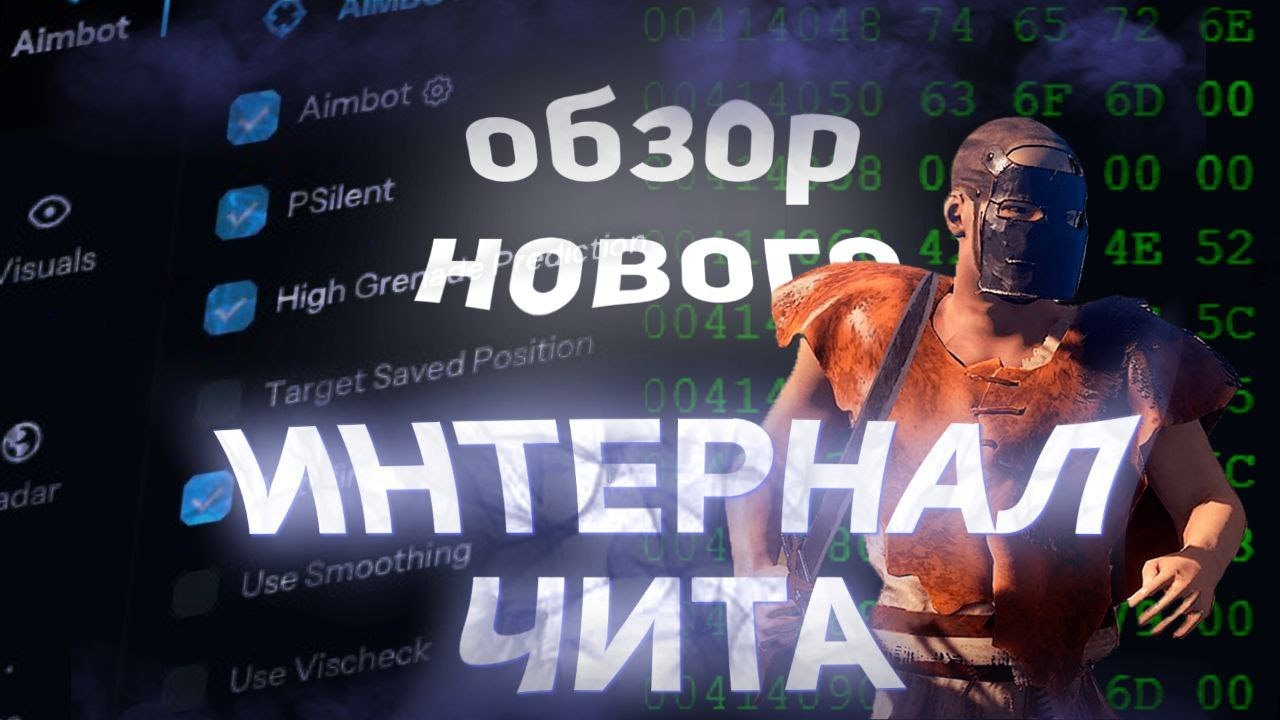
Mason RUST Internal to prywatny, wewnętrzny kod do gry Rust, zawierający rozbudowany zestaw narzędzi: zaawansowany Aimbot z PSilent i przewidywaniem granatów, pełny pakiet wizualny (ESP gracza, ESP World ESP, ESP w grze, radar w grze), kontrolę odrzutu i modyfikacje strzelania, a także moduł automatyzacji — od automatycznego łowienia ryb i automatycznego łupienia po ulepszenia budynków i brutalne wymuszanie zamków kodowych.
Oprogramowanie zawiera wbudowany system Anti-Violations, który chroni przed wykryciem Easy Anti-Cheat. Do uruchomienia wymagany jest dysk flash USB. Procesory Intel i AMD są obsługiwane w systemie Windows 10/11 x64.
Rozpowszechniane wśród ograniczonej liczby użytkowników w celu zminimalizowania ryzyka. Każda funkcja jest w pełni konfigurowalna — profile Rage, Legit i SemiRage są dostępne z możliwością zapisania konfiguracji. Regularne aktualizacje zapewniają stabilne działanie po wprowadzeniu poprawek do gry.
Wymagania systemowe
🔔 Statusy cheatów aktualizują się automatycznie z naszego bota Telegram na podstawie powiadomień deweloperów — śledź tam nowości. Wiele cheatów aktualizuje się samo po zmianach w grze, więc status «Sprawdzanie» nie oznacza, że cheat nie działa — to tylko niepewność do potwierdzenia. Nie masz pewności? Zapytaj na czacie na stronie lub sprawdź Kontakt.
Klucze globalne — działają na całym świecie.
Jeśli Twoja karta bankowa nie działa z naszym systemem płatności, możesz zapłacić za pomocą Binance Gift Card (USDT).
Ta metoda wiąże się ze stałą dopłatą +10%. Kody rabatowe i zniżki nie mogą być zastosowane.
- Skontaktuj się z nami, aby potwierdzić, czy ta metoda płatności jest dostępna dla wybranego produktu
- Kup Binance Gift Card (USDT) na potrzebną kwotę na dowolnym marketplace w Twoim kraju (Paxful, Binance lub lokalni sprzedawcy) — wygodną dla Ciebie metodą płatności
- Wyślij nam kod karty podarunkowej — aktywujemy zakup i dostarczymy produkt
USDT (TRC-20) jest również dostępny jako opcja płatności przy kasie — bez dodatkowej opłaty.
Funkcje
Aimbot
- Aimbot — przyciąga do celu (niestandardowy klawisz skrótu)
- PSilent — zakrzywia pociski w kierunku celu (niestandardowy klawisz skrótu)
- Wysoka przewidywalność granatów — wymusza przewidywanie w celu znalezienia prawidłowego punktu trafienia pod większym kątem
- Celuj w zapisaną pozycję — celuje w Twoją aktualną zapisaną pozycję na mapie
- Użyj wygładzania — humanizuje aimbota w celu uzyskania naturalnego zachowania
- Użyj Vischeck — celuje tylko w widocznych graczy
- AutoFire — automatycznie strzela, gdy cel można trafić
- Szansa na trafienie — powoduje, że niektóre strzały chybiają (tylko PSilent, suwak %)
- Keep Target — utrzymuje cel na celowniku, nawet jeśli znajduje się poza polem widzenia
- Smooth — konfigurowalna wartość wygładzania
- Aimbone — wybierz kości, w które chcesz celować (głowa, szyja, kręgosłup, dolny kręgosłup, miednica, priorytet trafień)
- Secondary Aimbone — dodatkowa kość do celowania z ustawieniami priorytetowymi
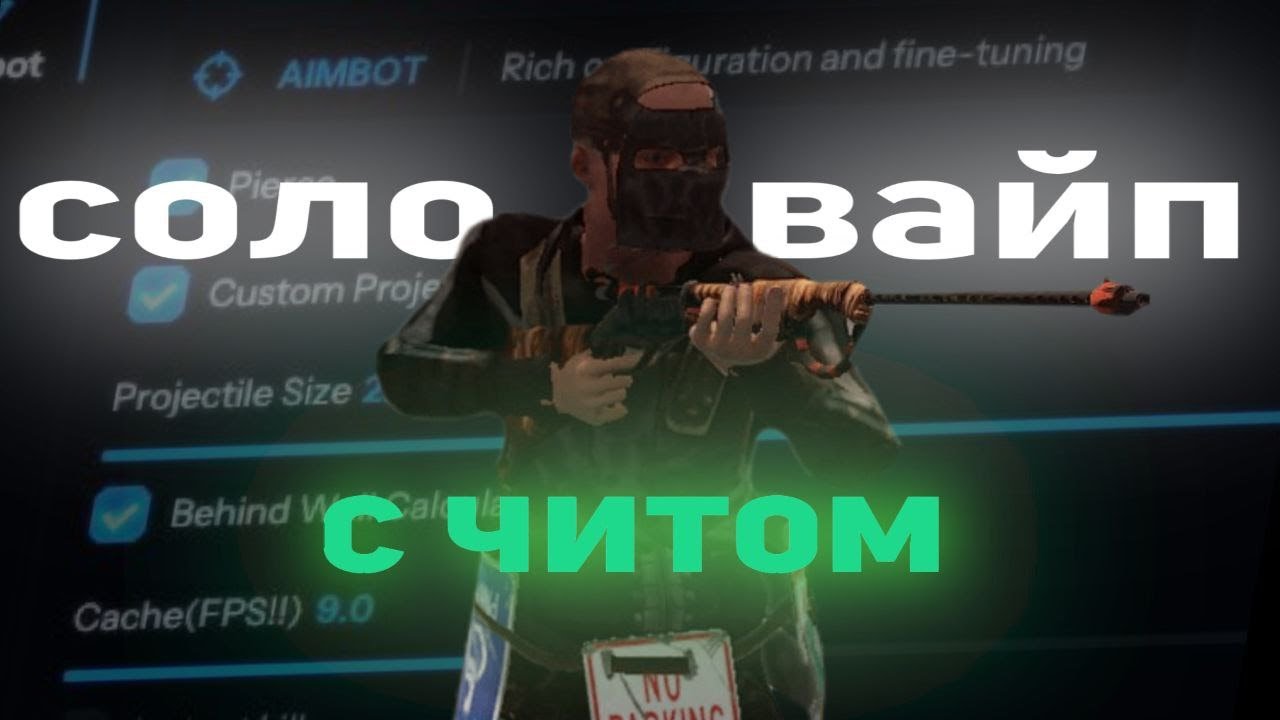
- Niestandardowe pociski — pociski trafiają, jeśli są blisko celu (większe w przypadku graczy na koniach)
- Legit Bullet TP — zmniejsza rozmiar pocisku w celu zapewnienia legalności
- Obliczenia za ścianą — automatycznie oblicza, gdzie PSilent powinien celować za obiektami
- Heli Magic — zwiększa hitbox helikoptera
- Desync On Keypress — aktywuje desynchronizację po naciśnięciu klawisza celowania
- Bone Override, Heli Rotor Override — zastępuje celowanie za pomocą kości trafienia
- Przebij Hitbone — wybierz hitbone dla pocisków (głowa, klatka piersiowa, dłoń, stopa, Rand itp.)
- Materiał trafienia — wybierz materiał pocisku (Ogólny, Szkło, Metal, Drewno, Ciało, Brud, Śnieg)
- Celownik — konfigurowalny celownik (Krzyż, Gruby krzyż, Kropka) z opcjami kolorów
- FOV — regulowane pole widzenia aimbota z ustawieniami rozmiaru i koloru
- Symuluj pocisk — rysuje miejsce, w którym wyląduje pocisk
- Przewidywany znacznik — rysuje miejsce, w które należy wycelować, aby trafić w cel
- Target Snapline — rysuje linię od celownika do celu
Świat ESP
- Wyłącz mapę ESP — wyłącza wszystkie ESP, gdy mapa jest otwarta
- Battlemode — wyłącza każdy przedmiot ESP po naciśnięciu klawisza
- Point Of Interest — generuje znacznik na mapie w zapisanej pozycji
- Raidy — umożliwia ESP dla raidów z dowolnej odległości, w regulowanym czasie
- Zapisz pozycję / Zapisz dom — ESP dla zapisanej pozycji i domu
Elementy do wdrożenia
- Recykler, Szafka (HealthBar, Utrzymanie, ShowID)
- Skrytki (nieukryte/lokalne), śpiwór
- Odbiornik/nadawca RF, HBHF/czujnik sejsmiczny
- Duża bateria, stół warsztatowy poziomu 2/3
- SamSite ESP (pozycje w pamięci podręcznej zapisane w konfiguracji)
- Deployable Chams — chamy do rozmieszczania
Radar
- Mini-radar: gracze, naukowcy, inne podmioty z możliwością dostosowania kolorów
- Krzyż, tło, okręgi zasięgu, tekst, wyświetlanie kierunku
- Radar w grze — gracze i naukowcy na mapie
- Lokalne skrytki i naloty na mapie
- Regulowane rozmiary: radar, długość/grubość znacznika, rozmiary okręgów
RÓŻNE
- Debuguj kamerę — dowolna pozycja kamery (niestandardowy klawisz skrótu)
- Natychmiastowe łupy/odbiór — natychmiastowe łupy przedmiotów ze skrzynek i ziemi
- Zamień drzwi — zastępuje drzwi tymi, które trzymasz w dłoni
- Szybkie miejsce — skraca czas umieszczania wysokich ścian
- Natychmiastowe ożywienie — natychmiastowo ożywia graczy (wszyscy lub tylko przyjaciele)
- Samobójstwo — łamanie nóg w celu samobójstwa (niestandardowy klawisz skrótu)
- Otwarte skrzynie — otwiera nieotwarte skrzynki
- Brak kolizji kolców i min lądowych — chodź po pułapkach bez obrażeń
- Anti Violations — zapobiega generowaniu naruszeń (Flyhack, Noclip, Speed itp.)
- Anti AFK — zapobiega kopnięciu AFK
- Flyhack — lataj za pomocą klawiszy WASD (regulowana prędkość)
- Wyłącz kolizje / Interaktywny Noclip — przecinaj obiekty
- Teleport — teleportuje się o 5 metrów w górę/w dół
- Omni Sprint — sprint w dowolnym kierunku
- Tryb Dicka — niewidzialny (postać zakopana w ziemi)
- Spacer po wodzie, Nieskończony skok, Spinbot
- Bez upadku — bez obrażeń od upadku, bez kolizji — przechodź przez graczy
- Brak oporu — przechodź przez kolce/ogień bez spowalniania
- Żadnego obrotu miniguna — strzelaj natychmiast z miniguna
- Weapon Spammer — animacja strzelania spamem (skrót klawiszowy)
Automatyzacja 2
- Przedmioty w stosie — automatyczne tworzenie wybranych przedmiotów (metal, drewno, kamień)
- Automatyczny łup / Cichy łup — pojemniki z automatycznym łupem (broń, zasoby, amunicja)
- Auto Lock — automatyczne blokowanie pobliskich zamków szyfrowych, Steal Unlocked — kopiuje kod
- Automatyczne uwierzytelnianie — automatyczna autoryzacja w pobliskich szafkach
- Anuluj / zresetuj wytwarzanie — anuluj i zresetuj liczniki czasu wytwarzania
- Upuść ekwipunek / Upuść kontener — upuść przedmioty z ekwipunku/kontenera
- Refill Jackhammer — automatyczne uzupełnianie młota pneumatycznego w pobliżu stołu warsztatowego
- Keep In Handcuffs / Instant Release / Spam Handcuffs — zarządzanie kajdankami
- Kradnij graczy — montuje pobliskich graczy na twoim pojeździe
Odrzut i strzelanie
- Odrzut X / Y — dostosuj odrzut w osiach X i Y
- No Sway — usuwa kołysanie broni
- Rozrzut — modyfikuje rozrzut pocisku (0 dla żadnego, 100 dla maksymalnego)
- No Weapon Bob – usuwa Boba z bronią
- Brak cyklu zamka — strzelaj bez cyklu zamka w karabinach powtarzalnych
- Odblokuj Kąty — obróć się, gdy jesteś na wierzchowcu (za pomocą skrótu klawiszowego)
- Brak ciosu w walce wręcz / spowolnienia — usuwa odrzut i spowolnienie walki wręcz
- Szybki łuk — natychmiastowy strzał z łuku po naciśnięciu lewego przycisku myszy
- Natychmiastowe ładowanie — natychmiast ładuje łuk bloczkowy
- Kara za brak ruchu — chodzenie/bieg podczas ładowania łuku bloczkowego
- Pełna automatyka — sprawia, że każda broń jest w pełni automatyczna
- Prędkość pocisku — zmienia prędkość pocisku
- Potrafi strzelać — strzelaj podczas pływania, wspinaczki itp.
- Aim in Mountable — celowanie w zamontowanych pojazdach
Gracz ESP
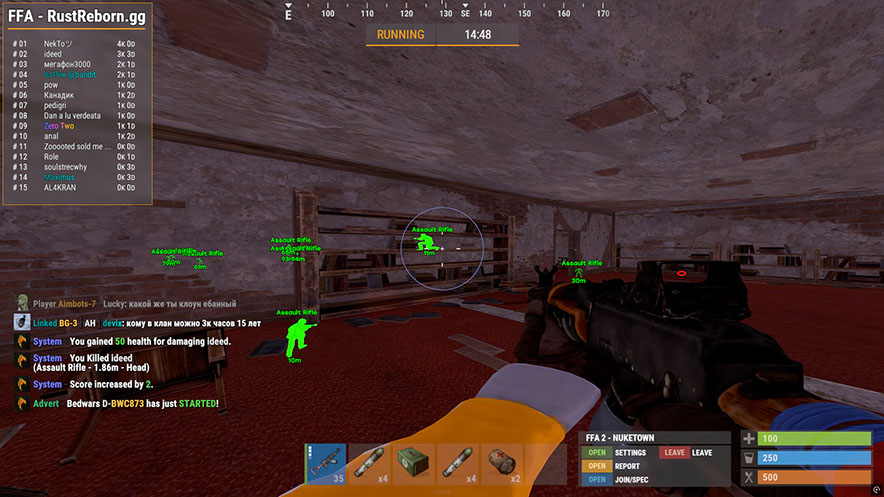
- Gracz i naukowiec (NPC) ESP z możliwością dostosowania kolorów
- Nazwa, dystans, TeamID — nazwy graczy, dystans, identyfikatory drużyn
- Pudełko — narożne pudełko wokół graczy
- Kierunek widoku — rysuje kierunek, w którym patrzy gracz
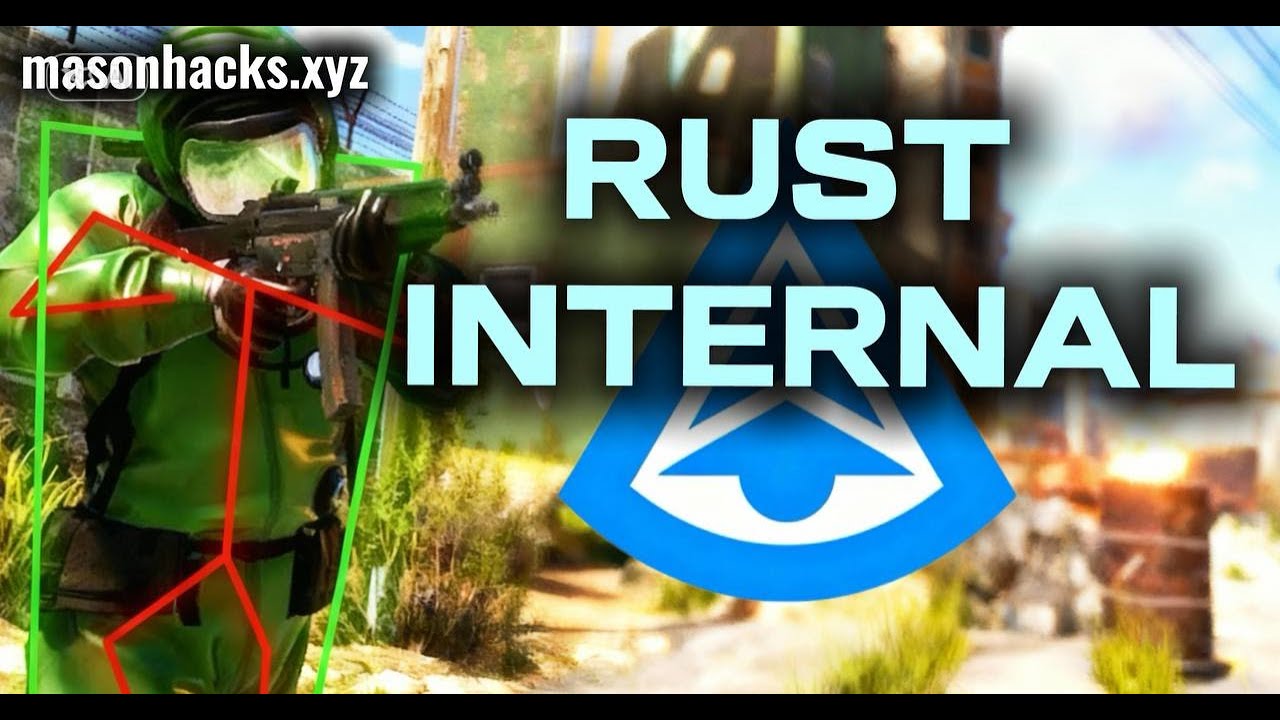
- Skeleton — szkielet gracza o regulowanej grubości
- HeldItem — pokazuje trzymany przedmiot, Hotbar — ekwipunek, odzież
- Zespół/Wróg — ESP dla członków drużyny i wrogów z możliwością dostosowania kolorów i klawiszem skrótu
- Wounded/Dead/Sleeping — ESP dla rannych, martwych i śpiących graczy
- Online Sleeper — rysuje śpiącego gracza tylko wtedy, gdy jest podłączony do serwera
- Safezone, Outside, OOF — wskaźniki bezpiecznej strefy i poza FOV
- Viscolor — dostosuj kolor widoczności
- Player Chams — podświetlanie modelu gracza (Błyskawica, Ogień itp.)
- Wyłącz odstrzał graczy — wyłącza odstrzał graczy
- Regulowana odległość rysowania dla graczy i NPC, odstępy między tekstami
Pojazdy
- Helikopter patrolowy, Bradley, drony, statek towarowy
- Minicopter, złomowy helikopter, łódź wiosłowa, łódź podwodna
- Helikopter szturmowy, holownik, rowery na pedały, motocykle
- Chamy do pojazdów — podkładki do pojazdów z możliwością wyboru materiału
- Regulowana odległość rysowania pojazdów
Łup ESP
- Ore Chams — chamy do rud (Lightning, LightGlow, Flame itp.)
- Ścieżka węzła — rysuje linię do najbliższej rudy, regulowana odległość
- Konopie, kamień, metal, siarka, drewno, olej napędowy
- Jagody (BlackBerry, BlueBerry itp.), Kukurydza, Grzyby, Dynia, Ziemniaki
- Food Chams — kapsułki do jedzenia z możliwością wyboru materiału
- Niedźwiedź, Dzik, Jeleń, Wilk, Koń, Rekin
- Animal Chams — chaty dla zwierząt, wyświetlanie zdrowia (HealthBar/HealthText)
- Zrzut powietrzny, zamknięta/normalna/wojskowa/elitarna skrzynia
- Narzędzie, Zaawansowana Woda, Podstawowa Woda, Medycyna, Jedzenie, Podstawowa Skrzynia
- Normalna beczka, beczka po oleju, Chams do kontenerów
- Gracz/Naukowiec/Zwłoki zwierzęcia, Plecaki, Upuszczone przedmioty
- Kategorie przedmiotów, które można upuścić (broń, konstrukcja, zasoby itp.)
Walka wręcz
- Gracze w zwarciu — automatyczne ataki na graczy (głowa, klatka piersiowa, ręka, stopa itp.)
- Drzewa do walki wręcz / Rudy — automatyczne wycinanie drzew i wydobywanie rudy
- Melee Helicopter — uderza helikopter ze zwiększonym zasięgiem
- Auto Strike — automatycznie uderza, gdy jest blisko celu
- BruteForce Codelocks — zamki szyfrowe typu brute force do włamań kodowych
- Tryb cichy — cichy tryb walki wręcz
- Niestandardowe efekty walki wręcz — zmień efekty trafienia (szkło, woda, drzewo, metal itp.)
- Fast Auto Heal — animacja szybkiego leczenia
- Modyfikacje Eoka — tryb Eoka (Legit, Rage, NeverHit, regulowany %)
Automatyzacja
- Automatyczna aktualizacja — automatycznie ulepsza budynki (wybór z/do poziomu)
- Auto Reel Fish / Auto Cast Rod — łowienie automatyczne
- Tryb legalny — wolniejsze i bardziej legalne łowienie
- Wizualizuj napięcie — wyświetla napięcie żyłki
- Automatyczny depozyt ryb / zepsutych wędek — odkłada ryby i połamane wędki do skrzynek
- Auto Loot Rods / Auto Reload Bait — zgarnia wędki i ponownie ładuje przynętę ze skrzynki
- Auto Heal / Auto Drink — automatyczne leczenie i picie
- Automatyczne zbieranie / automatyczne jedzenie — automatyczne zbieranie i jedzenie (konopie, kamień, metal itp.)
- Spam Torch — natychmiastowe włączanie i wyłączanie latarki
- Automatyczna odpowiedź — automatycznie odpowiada na wiadomości czatu (wymaga API)
Ustawienia
- Konfiguracje: Wściekłość, Legit, SemiRage, Extra 1/2/3 (Wczytaj/Zapisz)
- Ustawienia czcionki: wybór czcionki, rozmiar dla graczy, byty, ostrzeżenia
- Menu Key — klawisz skrótu do menu, Menu Scale — skala (100–150%)
- Ulubione, suwaki, menu rozwijane, panele, przełączniki
Recenzje klientów
Wszystkie recenzjeCzęsto zadawane pytania
Czy korzystanie z Mason Internal jest bezpieczne?
Jak zainstalować i uruchomić Mason Internal?
Czy Mason Internal działa po aktualizacji Rust?
Jakie funkcje zawiera Mason Internal?
Jakie metody płatności są akceptowane?
Jak skontaktować się z pomocą?
Po opłacie otrzymasz szczegółowe instrukcje dotyczące aktywacji, uruchomienia i użytkowania oprogramowania.
Instrukcje zostaną wysłane na adres e-mail podany przed płatnością.
Znajdziesz tam również link do pobrania i niezbędne komponenty.
Społeczność cheatów
Aktualizacje cheatów, status wykrywania i pomoc od innych graczy — na naszym Telegramie i Discordzie.